Project Overview
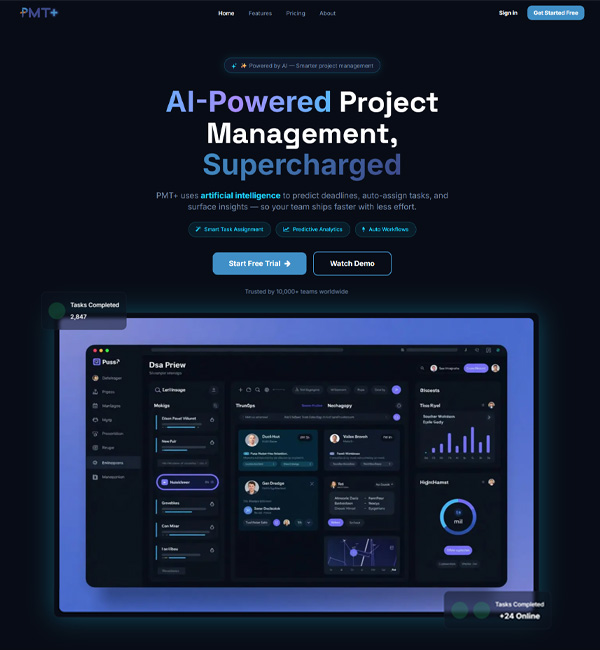
The Vision Behind PMT+: The developers of TTC noticed teams face problems handling clunky software, five different tools that never talk with each other, and no real way to see delays coming before they hit. They nearly stopped while finding the best project management tools on the market. Instead, they started building on their own. The goal is simple: give teams one place that actually plans schedules, tracks tasks, manages resources, and handles billing properly.
Target Market: PMT+ was built with agile teams in mind, the kind that can’t afford slow tools or messy handoffs. It is best for technical or engineering teams, consulting firms, finance teams, and professional services just as well. Even marketing development teams, accounting departments, HR, and SEO operations can use this project management tool and always find something useful here.
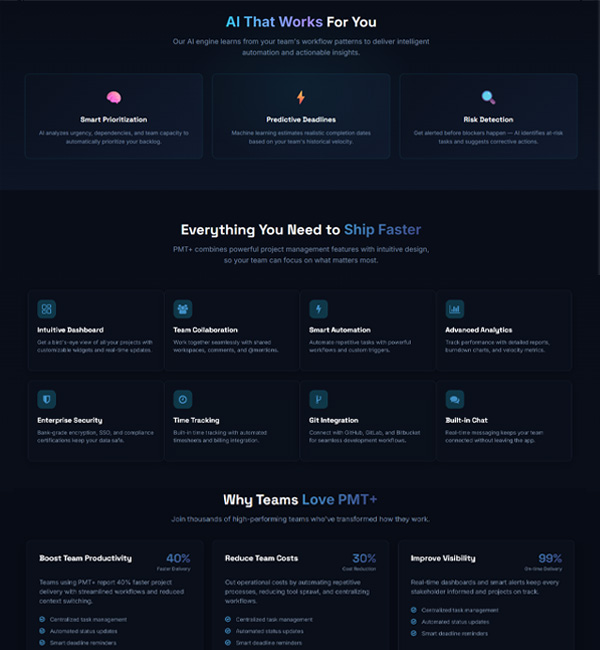
Core USP: Time management, scheduling, task tracking, resource planning, screen tracking, billing, and invoicing all sit within a single platform instead of five separate logins. Teams stop losing hours switching apps, managers get a clear view of who’s doing what, and billing doesn’t turn into a guessing game at the end of the month.
Purpose
A Unified Project Ecosystem: Most teams end up bouncing between five different apps just to get through a single workday. One for chat, another for files, a third for tasks. PMT+ pulls all of that into one shared workspace, so nobody’s hunting through inboxes or old messages trying to find what was actually decided.
Centralized Project Tracking: Files scattered across drives and updates buried in old email threads waste more time than people realize. PMT+ keeps every timeline, task, and roadmap under one roof, so anyone on the team can pull up exactly where a project stands without pinging five people.
Timeline Management: Deadlines have a way of slipping quietly until it’s too late to fix them. PMT+ tracks timelines in real time, so milestones, sprint goals, and resource allocation stay visible the whole way through, not just discovered as a problem during the next status meeting.
Event Calendar: Between meetings, deadlines, and reminders, keeping track of what’s next sometimes feels like a full-time job. PMT+ lets people schedule their own calendar, set milestones, and turn on notifications the way that actually works for them, not a one-size-fits-all setup.
Challenge
The Fragmented Workflow Problem: Before PMT+, most teams were stuck jumping between four to five different tools just to get through a single day. One app for timelines, another for automating workflows, a separate time-tracker, and yet another dashboard for analytics. None of them talked to each other, so people ended up copying numbers by hand or repeating updates in three different places. That alone was eating hours every week that should’ve gone into actual work.
The Productivity Gap: Most tools out there only tell you what already happened. They’ll show a delay after it’s already caused damage, but nothing warns you it’s coming. Nobody was getting a heads-up before a resource ran short, before a deadline started slipping, or before an engineering task quietly turned into a blocker. By the time the problem showed up on a report, it was usually too late to do much about it.
Innovative Features without Micromanaging: Getting an honest picture of where time actually goes on a task-by-task basis was harder than it sounds. Teams needed something that could log time per task, run a proper timer, and track screen activity, all without turning into the kind of micromanaging tool nobody wants to use. In PMT+, one will get the perfect balance of all these under a single umbrella.
The All-in-One Dashboard Issue
In traditional project management tools, every team has struggled with cramming timelines, logs, chats, and analytics into a single dashboard. Here comes the efficiency of TTC’s developers, who have turned this impossible issue into a doable task. In PMT+, all information sits in one screen with smooth navigation. Yes, it was really tough fitting everything into one place without losing clarity, but that’s exactly what they managed to pull off.
Benefits of Having PMT+
There’s a lot that goes into running a project day-to-day, way more than just checking off tasks on a list. Here’s everything PMT+ actually helps with, broken down piece by piece:
Manage Projects
Plan, schedule, and keep track of multiple projects from start to finish, all inside one interface. No more switching tabs or losing track of what stage a project is actually in.
Task Management
Organize, assign, and prioritize development work using Kanban boards and task backlogs. Teams can see exactly what needs attention first without digging through scattered lists or old messages.
Project Reports
Real-time performance analytics, milestone logs, and development reports are all generated automatically. No manual number-crunching needed just to know how a project is actually progressing.
Resource Management
For keeping track of workloads, PMT+ shows who’s working on what and how much each person is carrying at any given time. Managers can look at this and shift assignments around before someone ends up overloaded and burnt out.
Operational Efficiency & Tracking
Nobody wants to end the day wondering where the hours actually went or spend twenty minutes writing an email just to explain one bug. This part shows you how PMT+ handles everything:
- Time Tracking: Every working minute is logged with a built-in stopwatch, or manually if that’s what someone prefers. No more guessing at the end where the time actually went.
- Screen Recording: Record the screen right inside the app to show a bug, walk through a workflow, or share a quick video instead of typing out a long explanation nobody wants to read. It also monitors the entire workflow, helping teams understand task progress and the time required to complete each step.
- Easier Onboarding: New folks joining a project usually spend their first week just asking around: where’s this file, who do I talk to, how does this thing work? PMT+ cuts a lot of that out with templates, so people can start working instead of hunting for answers.
Collaboration, Workflows & Finances
Getting work done isn’t just about tasks; it’s also about people talking to each other and money adding up right. This part covers all of that. Let’s check out:
- Automation: Set a rule once, PMT+ follows it forever. Status changes, reminders, repetitive tasks- all of it runs quietly in the background without any manual clicking through every time.
- Integrations: Connect the tools already in use with just a click, no messy setup or waiting on IT to sort it out. The workspace syncs right away with the developer tools and productivity apps teams already rely on.
- Team Collaboration: Discuss tasks, share files, and talk things through without leaving the platform to open five different apps. Everything sits right next to the work itself, so nothing gets lost in some other chat thread.
- Customer Relationship: Clients get their own portal to check progress without emailing every other day to ask, “So where are we at?” Keeps everyone on the same page without the constant back-and-forth.
- Maximizing Billable Hours: Hours logged connect straight to client invoices, so nothing gets missed or left off by accident. Every hour someone actually worked ends up accounted for there properly without any confusion.
- Cost Management: Budget and expenses get tracked as the project moves along. Teams can compare projects, with updates as work progresses, and if costs start creeping up, someone can notice it in time and do the needful.
Conclusion
PMT+ came out after watching teams struggle with the same issues over and over: scattered tools, missed deadlines, no real warning before things went wrong.
Now it brings planning, tracking, billing, and communication into one place, and it works just as well for a small agency as it does for a large software development team.
Whatever the industry, the cost stays reasonable and the time saved adds up fast, making it a genuine smart pick for any business trying to run projects without the usual chaos.

 Book Consultation