


How to Speed Up Your WordPress Site: The Ultimate Optimization Guide
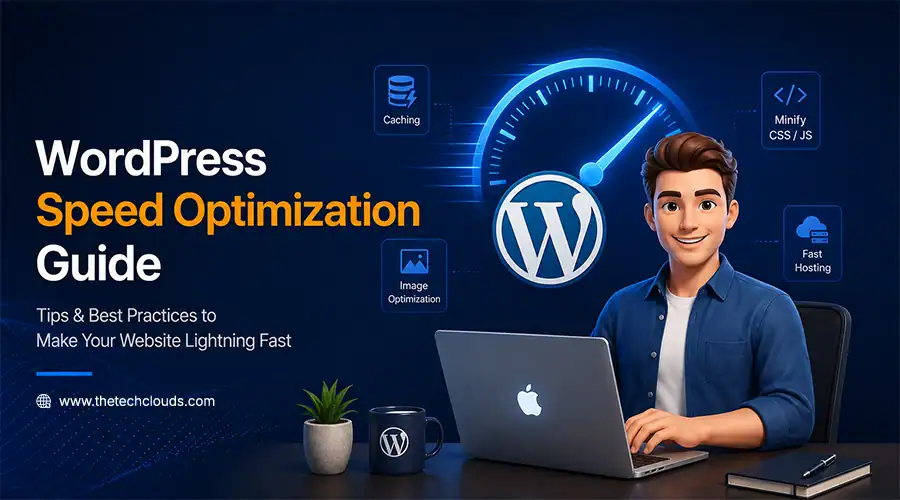
You have gone above and beyond to build your WordPress site, but when a visitor arrives, the loading wheel starts spinning. First 3 seconds gone, then five and so on. The irony is that, over time, your customers leave your site and are afraid to come back.
Currently, more than 41% of all websites are powered by WordPress, so you’re not alone in experiencing this; there are millions of websites that are facing the same speed issues. But have you ever wondered why website speed is always a problem for you, and how to fix it? If not, now’s the time to understand it.
Key Takeaways
- A faster WordPress site keeps visitors engaged, improves search rankings, and increases conversions.
- Simple fixes like caching, image compression, and GZIP compression can deliver quick, noticeable speed gains.
- Reliable hosting and lightweight themes form the foundation that every other optimization builds on.
- Regular updates and performance monitoring keep your site fast as it grows, not just at launch.
- Handing off speed optimization to experienced developers saves time and avoids the trial-and-error of fixing it alone.
Benefits of WordPress Speed Optimization
Before jumping into fixes, understand why you should speed up your WordPress site. Are there really any benefits, or is it just hype?
Better UX:
Time is more precious than gold in today’s era, so obviously nobody likes to wait. Google’s own research shows that when wait times go beyond 3s, bounce rates increase by up to 32%.
Improve SERP:
Speed is no longer trivial; it’s baked into how Google ranks pages through Core Web Vitals. Websites that don’t focus on this core area sit lower in the SERP results. It’s been proven by previous results of CWV that out of 100 websites, only 30-40 load fast and act smoothly.
Higher Conversion Rates:
This is where speed really hits the bottom line. Portent’s research showcases that webpages that load within 1 second convert up to 39% more than webpages that take 5 seconds to load, and conversion rates are up to 22% higher. The difference between 39 and 22 tells the full story.
When you see these benefits, you will not feel like optimizing a website is just another chore; you will start thinking about it from the very beginning.
Top 14 Ways to Speed Up Your WordPress Site
Now that you’re familiar with why speed matters, it’s time to get into the setup. To be honest, you don’t need to be a degree-holder in Computer Science to implement each of these steps:
Choose Reliable Hosting:
Hosting is the place where your WordPress site lives. So, instead of spending a ransom on website design, invest in reliable hosting. Pick trusted WordPress development services that offer hosting features like SSD storage, CDN integration, and robust server infrastructure that is built for real-time performance. Cheap shared hosting comes with limited resources, resulting in poor performance and frequent crashes during heavy traffic.
Implement Caching:
Caching provides a ready-made version of your site, so when visitors arrive, the site doesn’t need to rebuild everything each time. Plugins like WP Super Cache or W3 Total Cache can improve site speed by nearly 50%. Make sure that your hosting provider considers server-level caching solutions during the website development process.
Deploy A CDN:
Content Delivery Network (CDN) stores multiple copies of your site in different locations. That’s why, even if you host your WordPress site in India, it becomes visible to someone viewing it from the UK. Why so? Because the site loads from the server closest to them, not one far away in India. Using CDNs like Cloudflare, KeyCDN, and StackPath can speed up your WordPress site and add an extra layer of security.
Optimize Images:
If you load your WordPress site with heavy photos and animated videos, speed can suffer. Compress your images by 75-85% to maintain the best balance between quality and speed. This needs to be done before uploading the images, and always use modern formats like WebP for completion of this process. You can also hire a skilled WordPress designer to handle this early in a project to make your website look more professional.
Upgrade Version:
Old WordPress versions are slower and less secure; therefore, regularly updating your WordPress core, themes, and plugins is mandatory to make your website more secure and high-performing. Nearly 52% of WordPress sites run on the newest version of WordPress, version 7. Dig deeper to see whether your website is running on it; if not, make the move now.
Tune Database:
Over time, WordPress databases are overwhelmed with old drafts, spam comments, post revisions, transients, and leftover data that you don’t need. So, start using the WP-Optimize plugin to optimize your database and keep things running fast. If you’re still seeing strange loading issues, stretch your hands on correcting WordPress database errors, which are often overlooked.
Use Lightweight Themes:
Flashy themes packed with high-resolution animations can slow down your website. A simple, lightweight theme loads faster and boosts your website’s performance. Use themes like Neve, Astra, GeneratePress, and other tools that give you more control.
Be Cautious of WordPress Plugins:
Every plugin adds extra code to your website, making it heavier and slowing down every operation. Even the best CRM plugins can matter, since only 54% of websites pass CWV testing.
Optimize Your Code:
Your front-end elements may look amazing, but messy or bloated code in the background can still slow down your entire website. So, start by minifying your CSS and JavaScript. Remove unnecessary characters, spaces, comments, and redundant data. The lighter your backend, the better the speed and performance you’ll notice. The right WordPress developer can make a significant difference here.
Limit HTTP Requests:
Every image, script, file, and font separately sends requests to the server. Place them directly on your server; this reduces the number of external requests. You can also take one essential step by disabling the default behavior and setting up a system to run tasks at fixed intervals.
Organize Your Content:
Long, cluttered pages with too many embeds and widgets take a long time to load. So start using excerpts on archive pages, which forces the browser to load all the text and images all at once. A page with hundreds of comments can add significant weight, so make a limitation of comments, setting up 10-15 per page.
Enable GZIP Compression:
GZIP shrinks your website’s files, making transfer easier and improving load time. Ask your hosting provider about it, since every second of loading time can cost around 7% in conversions, and GZIP is one of the best ways to improve that. Hire WordPress developers who can handle this compression part so that you can focus on core business strategies.
Execute Lazy-Loading:
Lazy loading is an approach in which images and videos will load only when a visitor actually scrolls down to them. This approach prevents heavy loading all at once and improves websites’ performance. You can also use plugins like Lazy Load WP Rocket to make the first view of your page load much faster, especially when it contains a lot of visual content.
Monitor Performance Regularly:
Suppose you fix everything today and then rest for months; it won’t work because speed comes from continuous effort, not from a one-time implementation. One study across real-time testing on 1,000 WordPress sites found an 18% improvement in loading speed from proper monitoring and tuning alone. So, check your site’s performance regularly. Each time you add content or any plugins, check the metrics from tools like GTmetrix, Pingdom, Google PageSpeed Insights, and other reliable tools.
Final Thoughts
Website speed management is a recurring process. Start making fixes from today and see how well your website speed improves over time.
Get these practices on the right track, and your WordPress site stops losing visitors before they even see what you’ve built and starts turning that traffic into real conversions and revenues.
How The Tech Clouds Can Help
The Tech Clouds (TTC) is one of the leading names among WordPress website development companies. We also specialize in WordPress development services, offering customized solutions for businesses of all sizes.
Doing all the above fourteen fixes alone may feel quite complicated, and that’s where we come in for you.
Our developers test plugins and minify code. They always choose a lightweight theme and implement caching that works well for your business. You don’t have to deal with headaches for any of these steps; instead, you focus on your core business operations. So, if you want someone who can constantly monitor your site and keep it fast every time, choosing us could be a worthy decision.

Frequently Asked Questions
What tools can help me check how fast my WordPress site loads?
Google PageSpeed Insights is the most common starting point, since it gives you a score along with specific fixes. GTmetrix and Pingdom are also popular, and they show detailed breakdowns like load time, page size, and number of requests. Testing with more than one tool gives you a fuller picture instead of relying on a single number.
In what way does caching make a website run faster?
Caching saves a ready-made version of your pages so the server doesn't have to rebuild them every single time someone visits. This cuts down on loading time significantly, especially for repeat visitors. It's one of the simplest changes that brings a noticeable speed boost almost instantly.
How exactly does a Content Delivery Network (CDN) help with speed?
A CDN stores copies of your website across servers in different parts of the world. When someone visits your site, it loads from the server closest to them instead of one that might be thousands of miles away. This cuts download time significantly, especially for international visitors.
How regularly should WordPress core, themes, and plugins be updated?
It's best to check for updates at least once a month, though critical security patches should be applied as soon as they're available. Outdated versions often run slower and are more vulnerable to security issues. Staying current keeps your site both faster and safer.
Does speeding up my site put its security at risk?
Not if it's done correctly, but rushing certain steps can create risks. For example, using outdated plugins just because they're lightweight, or disabling certain security features to save loading time, can leave gaps. The key is balancing speed and safety together, not sacrificing one for the other.
What are some mistakes people usually make while optimizing WordPress speed?
A big one is stacking too many plugins, especially several that do overlap jobs. Skipping image compression and ignoring regular updates are also common issues that quietly slow sites down over time. It's usually better to make a few solid changes than to try fixing everything at once without a clear plan.






Related Blogs

App Development Cost by Country in 2027: USA vs UK vs India
You may want a web app or mobile app with almost the same features, but you’re still getting three different quotes from three different agencies in three different countries. App...

How to Hire Dedicated Developers: A Complete Guide from Scratch
Most businesses don't plan to outsource. It happens when your internal teams can’t cope with the demands of the existing market. Suppose a project that requires something which your present...
The 7 Phases of Web Development: From Idea to Launch
Anyone can think of a website design while working late at night or doing a job at dawn, but the problem hits when it comes to turning it into reality....

Mobile App Development in 2026: PWA vs Native vs Hybrid vs Cross‑Platform – Which Is Best for Your Business?
Ask five developers about the best way of building mobile apps in 2026. There’s no doubt in this that you’ll get five different answers. Some swear by natives, whereas others...

Why Your Website Is Slow and How the Right Development Framework Solves It
Ever clicked on a site and just... left before it even loaded? You're not alone, and neither is your website if it's doing the same thing to its visitors. Mainly,...

Best Technologies for Web Application Development in 2026
Web application development has changed a lot even in the last couple of years. Frameworks keep moving; people expect pages to load within a second, and sticking with outdated tools...

Custom Web Design on a Budget: A Practical Guide
You run a business but have no website. This approach may have worked a decade ago. But in today's world, having a website is mandatory, especially if you’re running an...

How to Hire a Software Development Company in 2026: Complete Buyer’s Guide
You handed them one project. A simple login page. The deadline passed, but nothing worked as expected. If it sounds like your case, then put effort into finding the right...