


How to Choose the Right Technology Stack for Your Mobile App Development Project
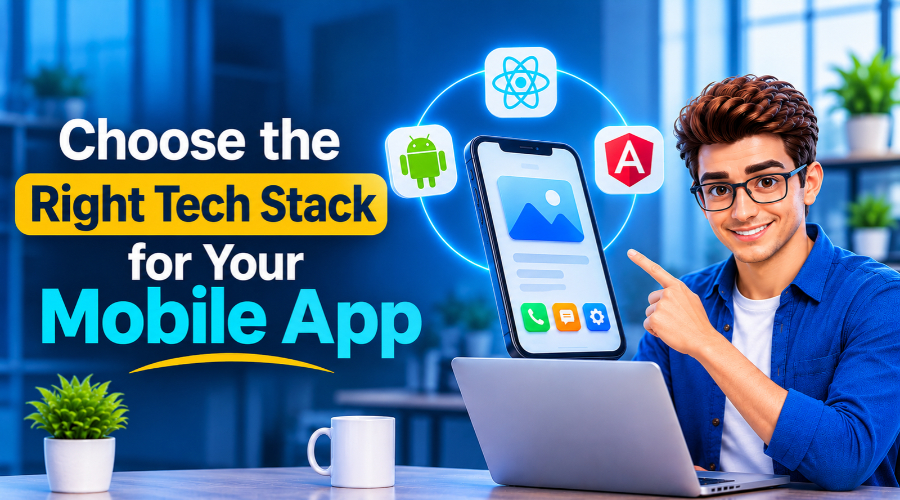
If you’re an absolute newbie to mobile application development services, you may not know the right technology stack to use. Technology stack? You may not even know the term if you’re entirely new to it. Well, a technology stack defines the tools and frameworks developers use to build mobile apps. A tech bundle on which the present and future of an app depends. This piece will walk you through what a technology stack generally means and which tools you can use to determine your app’s success.
So, let’s dig in!
Key Takeaways
- A tech stack is the set of front-end, back-end, and database tools your app is built on, and it shapes everything that follows.
- The right stack improves performance, security, scalability, and long-term flexibility.
- Start with your app type, goals, and team’s skills, then check features, platforms, compliance, and security.
- Native gives the best performance, hybrid gives the quickest web-based launch, and cross-platform shares code with near-native quality.
- Choosing carefully now avoids costly rebuilds later.
What Is A Mobile Development Technology Stack?
A technology stack refers to the tools and frameworks that software developers use to build web or mobile applications. These tools mostly create the foundation on which an application operates.
For example:
- For developing the front end: the part where users interact with the app.
- For developing the back end: the part where data resides, is processed, and is converted into an output.
- The development platform: where libraries and interfaces come together in a single system to build an entire mobile application.
- Additional: Tools and frameworks that ensure the app’s security, performance, speed, and scalability.
- All these mobile app development frameworks together are called a tech stack, which is needed to create a successful mobile app.
Why Choosing The Right Technology Stack Matters
Now you have a clear idea of the term “technology stack”, but not every tool or framework works best for your app. Only an experienced mobile app development company can tell you which suite is right for your app. But you may think: why choose the right mobile app development technologies? Why not any random technology work?
Here are the reasons:
Better Performance & User Experience:
A suitable stack helps the app load quickly, run smoothly, use memory efficiently, and integrate properly with device capabilities.
Cost and Speed to Market:
The right stack influences both the initial build and the ongoing cost of adding new features.
Scalability and Maintenance:
The better the technologies you choose, the more secure the encryption is. As usage grows, the backend and cloud infrastructure must scale without a complete rebuild.
Security and Reliability:
The technology choices affect encryption, secure data storage, API protection, authentication, and the ability to respond quickly to vulnerabilities.
Long-Term Flexibility:
The right stack should support new features, operating-system updates, new devices, and changing business needs.
How to Select the Best Tech Stack
You should follow a path to choose the best tech stack. Let’s look at the track:
Type of Application:
Sit and ponder what you want to build. Is it a banking tool or a gaming app? An e-commerce store or a doctor’s consultancy service app? Pin down the app type first. Then select the mobile app development technologies. Keep in mind that each app style requires a different framework.
Application Goals:
Clarify your goals first. Is this for wide sales or more signups? Clear goals keep you more focused on what you’re doing.
Your Development Team:
You know your team’s strengths and limitations. So start with the mobile app programming languages that your developer knows well. This strategy will help you create an app faster with fewer mistakes.
Functionality & Compatibility:
List the features that are mandatory for your app, like payments, maps, or push notifications. Then make sure your stack works well with those tools. Carefully test the integration to ensure all existing systems work seamlessly with the app.
Portability to Run Across Platforms:
First, clarify which platform you want to develop the app for. Is it for iOS or Android? If you’re planning to make cross-platform applications, then list the specific tools and resources required to build it.
Industry-Specific Requirements:
The rules and app specifications vary across industries. First, decide which industry app you want to build. Then follow all relevant compliance standards and industry-specific regulations.
The Technology Sponsor:
Choosing the right mobile app development frameworks matters. For example, if you choose Google’s Flutter or Meta’s React Native, you’ll likely get regular updates and long-term support.
Security:
You must carefully consider your technology stack to maximize security, because protection can’t be an afterthought. Choose mobile development app technologies that can effectively handle data encryption, user authentication, regular security patches, and access control.
Major Tech Stack for Mobile App Development
Your choice in the Native vs. Cross-Platform App Development debate shapes every layer of your stack.
Native, hybrid, and cross-platform apps each use different front-end tools, while their backends and databases overlap more.
Here is how the three approaches compare:
Native stack
Native apps are built separately for each platform, giving the best performance and full access to device features.
1. Front-end
Swift (SwiftUI): Apple’s language and UI framework for iOS apps. It gives full access to device features and the smoothest performance on iPhone and iPad.
Kotlin (Jetpack Compose): Kotlin is Google’s preferred language and UI toolkit for Android. It provides direct access to Android’s APIs.
Java: Java is Android’s long-established language. It is still prevalent in large codebases, for maintaining older apps, and in new projects.
2. Backend
Node.js: Node.js is a JavaScript runtime used for fast and lightweight APIs. If you have issues handling this language, hire Node.js developers who can handle multiple connections at once.
Java with Spring Boot: One of the most mature mobile app development frameworks for building secure, scalable, enterprise-grade backends. It’s a great choice for apps where high compliance and robust authentication are mandatory.
Firebase: Google manages Firebase and backs it with authentication, cloud functions, storage, and push notifications. One major benefit is that you can launch an app quickly without maintaining servers, using it.
3. Database
Core Data / SwiftData: Apple’s frameworks are used for storing data on the device in iOS apps. You can use them offline, and they work smoothly with other Apple tools.
Room: Google’s Android library for local storage, built on SQLite. It checks queries at compile time, so you can manage offline data easily.
PostgreSQL: An open-source relational database used to store server-side data. It reliably handles complex queries and large datasets. You can use it for transaction-heavy apps.
Hybrid stack
Hybrid apps are built with web technologies and wrapped in a native container, so one codebase runs on several platforms.
1. Front-end
Ionic: A UI framework for building mobile apps with HTML, CSS and JavaScript, alongside Angular, React or Vue. One web codebase runs on iOS, Android and the web.
Capacitor: A native runtime from the Ionic team that wraps web apps in a native container. Its plugins give access to the camera, GPS, and other device features.
Apache Cordova: This is an older open-source framework that packages web apps inside a native shell. Its plugins add device access.
2. Backend
Node.js with Express: This lightweight pairing is great for building REST APIs in JavaScript. Less hassle, as the same language is used on the front and back end, so your team can focus more on design and planning.
Python with Django: This full-featured framework comes with built-in authentication and security protections. Its admin tools and suite work well for content-driven apps and rapid development.
Firebase: A managed backend providing authentication, real-time data, and push notifications. It pairs well with web-based hybrid apps that need a quick launch.
3. Database
SQLite: This lightweight database can be stored on the device and accessed through Capacitor and Cordova plugins. Hybrid apps can work offline because it runs in the background.
IndexedDB: It’s browser-based storage for larger amounts of structured data in the app’s web view. It supports offline features. The system can clear data when storage runs low.
Cloud Firestore: Firebase’s flexible NoSQL cloud database syncs data in real time. It also supports offline caching, so your apps can stay responsive even on weak connections.
Cross-platform stack
Cross-platform apps share most of their codebase across iOS and Android. Their performance is not exactly like native apps, but it is similar.
1. Front-end
Flutter: Google’s UI toolkit, which uses the Dart language. It draws its own interface for consistent visuals and strong performance on iOS and Android, plus web and desktop.
React Native: Meta’s framework for building mobile apps with JavaScript and React. It renders real native components and benefits from a large developer community and ecosystem.
Kotlin Multiplatform: JetBrains’ technology for sharing code between iOS and Android. Teams can share only business logic, or share the interface too with Compose Multiplatform.
2. Backend
Node.js with NestJS: This is a TypeScript framework for scalable APIs. It pairs naturally with React Native and keeps code organized as the app grows.
ASP.NET Core: Microsoft’s high-performance, cross-platform framework for secure APIs. It’s a strong choice for enterprise apps and teams already working in the Microsoft ecosystem.
Firebase or Supabase: Both manage backends and offer authentication, storage, and real-time updates. Both work with Flutter and React Native, cutting the time spent building custom server code.
3. Database
SQLite: This on-device storage works well for offline-first apps. You can use it through packages such as sqflite and Drift in Flutter, or expo-sqlite in React Native.
Cloud Firestore: Firebase’s NoSQL database with real-time sync and offline support. It is widely used with both Flutter and React Native.
PostgreSQL: A reliable relational database for structured data. It is often paired with Supabase or a custom API to power cross-platform apps at scale.
Choose the Right Tech Stack. Build a Smarter App. Let’s Build It Together!
Final Note
You can’t say in a sentence that you choose this tech stack because this one is great. Every tech stack has its own strengths. In this article, we break down tech stacks by mobile application type. Choose the one that fits your app, team expertise, budget, and goals.
Build your app with The Tech Clouds (TTC)
Still unsure which stack suits your app? Then The Tech Clouds (TTC) is here to help. We are a recognized mobile app development company building secure, scalable iOS and Android apps for startups and enterprises. Our team can guide you through choosing the right framework, then handle planning, development, deployment, and post-launch support. Talk to TTC about your mobile app and get a stack matched to your goals.

Frequently Asked Questions
Why does choosing the right tech stack matter?
Your stack affects how fast the app runs, what it costs to build and maintain, how well it scales and how secure it is. A poor fit can mean slow performance, higher costs and a rebuild when your user base grows.
How do I choose the best tech stack for my mobile app?
Work through these points:
- Your app type
- Your goals
- Your development team’s skills
- Required features and compatibility, such as payments, maps and push notifications
- Target platforms
- Industry compliance rules
- Long-term support for the technology
- Security needs
What is the difference between native, hybrid and cross-platform apps?
Native apps are built separately for each platform, using tools such as Swift for iOS and Kotlin for Android. Hybrid apps use web technologies inside a native container, using tools such as Ionic and Capacitor. Cross-platform apps share most of their code across iOS and Android using frameworks such as Flutter or React Native.
Which stack is best for a startup?
Many startups choose cross-platform or hybrid stacks because one codebase can reach iOS and Android faster and at lower cost. Native may suit you better if performance or deep device access is your priority.
How does the tech stack affect app security?
Your stack determines how well your app handles encryption, secure data storage, API protection, authentication, and security patches. Build security in from the start rather than adding it later.
Can I change my tech stack after launch?
You can, but it is often expensive and time-consuming, and it can mean rebuilding large parts of the app. Choosing a stack that supports new features, OS updates, and growth from the start helps avoid this.
Recent Posts






Related Blogs
App Store Optimization (ASO): A Complete Guide to Improving App Visibility and Downloads
You spend a year building an app. The design is astounding. Speed is mind-blowing. Every page holds brand consistency. It passed every beta testing phase on the first try. Every...

Quick Commerce App Development: Features, Technology, and Business Benefits
It’s almost 9.45 pm. You return home from your office, totally exhausted. Now you have to make dinner. You enter the kitchen and realize you have hardly any groceries. Not...

5 AI Coding Agents You Should Try in 2027
Writing code is no longer confined to a quiet environment with just your system and coffee. Reports show that 84% of developers use or plan to use AI tools to...

Why React Remains a Leading Frontend Framework in 2027
Every business wants to accelerate its market growth. That is only possible when you choose the right technology stack. Frontend technology plays a major role. It serves as the door...

What Factors Should a Business Consider When Choosing a CRM Development Partner?
CRM is an operational tool that sits between your business and customers. A CRM development partner can transform how your business handles customer relationships. Now that CRM is the only...

Cloud Application Development in 2027: Trends, Technologies, and Best Practices
The global cloud application development market is expanding rapidly. It is $450.1 billion in 2026 and is projected to reach $806.91 billion by 2030, with a 15.7% CAGR over the...
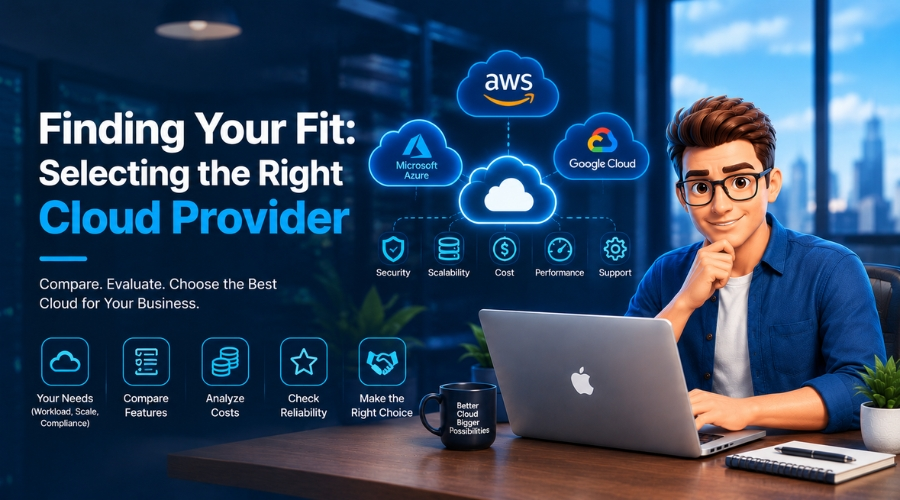
How Do You Choose the Right Cloud Provider for Your Migration?
Picking a cloud provider for a migration isn't like picking a laptop. You're handing over your data, your uptime, and a good chunk of your budget for years. The wrong...

AI App Development Trends 2027: What Businesses Need to Know
A CTO opens two dashboards side by side. One is his competitor's; the other is his own. The competitor's page was built on an AI system that tracks customers' order...