


AI App Development Trends 2027: What Businesses Need to Know
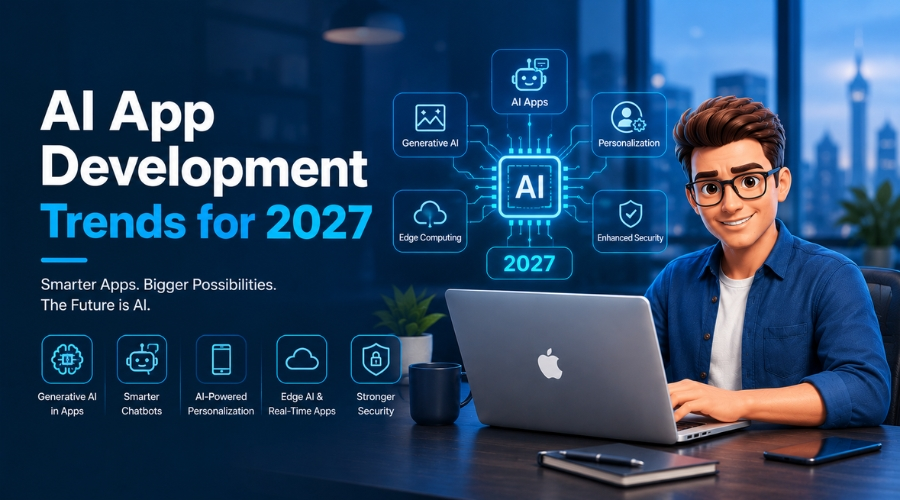
A CTO opens two dashboards side by side. One is his competitor’s; the other is his own. The competitor’s page was built on an AI system that tracks customers’ order history, conversations, real-time inventory, product interests, and core purchasing niches. His own dashboard has only one chatbot that answers the same five questions on repeat.
Do you get the gap?
Same starting point, completely different outcome.
To be honest, this gap is not hypothetical anymore. By the end of 2026, Gartner projects that 40% of enterprise applications will be integrated with task-specific AI agents, up from less than 5% in 2025, nearly an eightfold jump in a single year. The businesses on the winning side of that dashboard aren’t the ones with the flashiest chatbot. They’re the ones that stopped treating AI as a feature and started treating it as infrastructure.
Generative AI’s necessity isn’t limited to answering repeated questions. Instead, it’s been used to build different apps, tools, projects, guide systems, and more. Businesses that don’t take this seriously will fall behind.
The rest of this blog post will help you understand what AI App Development really means, its trends, how businesses benefit from leveraging AI to build apps, the key challenges you need to address, and also help you prepare for 2027.
Key Takeaways
- 2027 rewards businesses that leverage AI-powered apps to solve real business problems, not just answer questions.
- Always build AI apps after analyzing your work patterns and real-life problems.
- Choose an AI app development partner that offers transparent cost sheets and deadlines.
- Put focus on hyper-personalization, multimodal input, on-device AI, and no-code or low-code formats- all of these raise the stakes on privacy and consent.
- Don’t forget to insert AI app development trends like RAG and agentic AI; these two will reduce development time and costs.
Quick Answer
The shift is confirmed and already acceptable. AI app development in 2027 isn’t just limited to chatbots. Businesses that adopt AI app development trends early will dominate the digital world. So, knowing and implementing them is really mandatory.
What Is AI App Development?
AI app development is the process that uses machine learning, generative AI, computer vision, voice AI, or autonomous agents to develop web, mobile, desktop, or enterprise applications. You can also use it to understand unstructured input, generate content, make predictions, or take action on a user’s behalf.
It’s still software development, but the only difference is that the logic isn’t hand-coded. It’s learned, inferred, or reasoned through a model instead of written as a fixed set of if-then rules.
Many people say all “AI apps” are built the same way, but the differences matter more than most teams realize when they’re scoping a project. Here’s how the three categories break down:
| Category | What it is | Example | Where AI sits in the stack |
|---|---|---|---|
| AI-enabled apps | Traditional applications with AI features layered on top of an existing product | A CRM with a search bar that now supports natural-language queries, or an e-commerce site with AI-generated product recommendations | Add-on — the app works fine without it, AI just improves specific features |
| AI-native apps | Products designed from the ground up around AI-driven workflows and decision-making | A writing assistant where the entire product experience is built around a generative model, or a fraud-detection platform where ML scoring drives every core decision | Core — remove the AI and there’s no product left |
| Agentic AI apps | Systems that use tools, business rules, and data sources to carry out multi-step tasks with bounded autonomy | An AI agent that checks inventory, calculates a refund, and issues it — without a human clicking through each step | Orchestrator — AI plans and executes a sequence of actions, not just a single response |
The jump from “AI-enabled” to “agentic” is really a jump in how much decision-making authority the AI is given — from suggesting an answer, to owning a workflow, to acting on systems and data with minimal supervision. That’s also exactly where governance and guardrails matter most, which is the theme running through the rest of this piece.
Key Components Behind AI App Development
Regardless of which category an app falls into, most AI applications are assembled from the same core components:
- Foundation Models: The underlying LLMs or ML models (like GPT, Claude, or a custom-trained model) that provide the reasoning, generation, or prediction capability.
- APIs: The interface layer that lets an application send requests to a model and get structured responses back, without the business needing to host or train the model itself.
- Retrieval-augmented generation (RAG): A technique that lets a model pull in relevant, up-to-date, or proprietary information at the moment of a query, instead of relying only on what it learned during training. This is how AI apps answer questions about a specific company’s documents, policies, or data.
- Vector Databases: Specialized databases that store information as numerical embeddings, allowing the system to search by meaning rather than exact keyword match — the backbone that makes RAG possible.
- Integrations: The connections between the AI layer and the business’s actual systems: CRMs, databases, payment processors, internal tools, and so on. This is what lets an agent “do” something rather than just “say” something.
- Orchestration Layers: The logic that sequences multi-step tasks, decides which tool or data source to call at each step, and manages the flow between the model and the surrounding systems. This becomes essential once an app moves from single-response chat into agentic, multi-step territory.
- Guardrails: Sets of rules, permissions, validation checks, and security measures that limit your AI system. They tell the AI system what it can access and what it doesn’t. What actions it can take without human intervention and what it doesn’t. How errors or bugs get caught before they cause any damage.
AI App Development Trends for 2027
By 2027, businesses building AI apps won’t see it as a novelty; it will be the norm. That’s why you need to understand today’s AI development trends to gain measurable ROI. Only this strategy separates leaders from those still stuck piloting.
So, let’s get into this:
Agentic AI for Business Workflows
Agentic AI is no longer limited to answering questions only. Now, it can perform various other tasks such as drafting emails, qualifying leads, processing invoices, tracking inventory, and handling HR/IT tickets. Many agentic projects stall on governance, but successful deployments average 171% ROI with payback in under eight months.
Multimodal AI Experiences
AI apps can interpret text, voice, images, video, documents, and structured data together. They can easily analyze photos of an eCommerce store and help you find something using visual or voice search. You can also summarize the uploaded records and process screenshots for healthcare administrative tools. This may sound minimal, but it can gradually increase UX stakes, which can directly improve SEO.
Hyper-Personalization
AI apps personalize content, recommendations, communications, and customer journeys. They use consented first-party data shared on any apps and offer suggestions based on your previous purchases or order history. 86% of consumers report higher trust in companies that use AI apps that always follow data minimization and clear consent rules to maintain privacy.
AI-Driven Search
RAG-based search always provides the answers that users are actually looking for. Building AI apps following the RAG model is the most practical route businesses can take instead of training a custom model. That may be why the global RAG market is projected to grow from roughly $1.94–2.33 billion in 2025 to over $80 billion by 2035.
On-Device AI
On-device AI runs directly on phones, browsers, or edge devices rather than in the cloud. What’s the benefit? You get faster responses, better offline resilience, and lower development costs. Mobile app developers now use this model for sensitive tasks like defect detection, manufacturing inspection, and image analysis or screening. For its wide applications, the expansion of on-device AI will be $75.5B by 2033.
AI-Powered Mobile Apps & Software
AI isn’t an app feature anymore. It’s now app infrastructure, and the data clearly shows it. 63% of mobile app developers now integrate AI features into their apps, and about 70% of mobile apps use AI in some form to improve user experience in today’s mobile app development sphere. AI in a mobile app isn’t a differentiator anymore; it’s a close call to understand.
Low-Code & No-Code
About 87% of IT leaders say low-code/no-code tools help when they run short of developer talent. They’re especially useful for business teams, helping build workflows, dashboards, prototypes, and internal tools without relying heavily on developers. But complex integrations, proprietary logic, regulated data, and customer-facing products still need real development. That’s where custom mobile app development services come in.
Comparison Between No-Code/ Low-Code vs. Custom AI Mobile App Development
| Use Case | Low-Code/No-Code Fit | Custom AI Development Fit |
|---|---|---|
| Internal workflow prototype | High | Moderate |
| Customer-facing SaaS product | Moderate | High |
| Complex ERP or CRM integration | Moderate | High |
| Regulated-data application | Low to moderate | High |
| Simple content or support automation | High | Moderate |
Business Benefits of AI Apps
Businesses are actually getting real value from AI apps. For example, Starbucks has improved sales by incorporating AI app development trends like hyper-personalization.
Another study reveals that more than 450 companies using agentic AI in their daily production process improve fraud detection and deliver ROI by up to 340% within 12 months.
So, you can get an idea of what you can do using the AI app development process. If you are still confused, let’s keep this brief:
- Faster customer service and shorter response times — Customers get answers on the spot instead of sitting in a queue waiting for someone to pick up.
- Lower manual workload in repetitive processes — Invoices, approvals, and data entry get handled without someone doing the same task by hand every day.
- More personalized digital experiences — What a customer sees actually reflects them, instead of the same generic page everyone else gets.
- Better access to internal knowledge — Staff pull answers from SOPs and docs in seconds instead of digging through folders or asking around.
- Faster application development and iteration — Teams ship and test features in weeks, not the months a build like this used to take.
- Data-informed decision support — Leaders see what’s happening now, not last quarter’s numbers pulled together in a stale report.
Key Challenges to Address
None of the trends above matter if the foundation underneath them is shaky. Most AI projects don’t fail because the model was wrong. They fail because of what was happening around it:
- Poor-quality, fragmented, or inaccessible business data: An AI-powered app shouldn’t look fragmented or broken on a mobile screen. This is one of the most useful mobile app development tips.
- Unclear ownership between IT, product, security, and operations teams: Without one clear owner, decisions stall, and nobody’s accountable when something breaks.
- Rising inference and integration costs: Partnering with a trusted AI-backed mobile app development company is always a better choice to stay within your budget, because they will provide you with transparent cost sheets that never outpace the value of the project.
- Overreliance on one model provider: Never rely on only one model, because a single point of failure, pricing change, or outage can obstruct your workflow.
- Lack of monitoring after launch: Teams ship the AI feature and stop watching it. Hiring or outsourcing software testing services can help you catch drift, errors, or declining performance over time.
How to Prepare for 2027
Identify High-Value Use Cases:
Start by building an AI app where you observe repetitive and time-consuming workflow patterns. Pick something specific that matches your intent and solves your problems.
Build a Reliable Data Foundation
Put all information in one place and back up every dataset, whether it’s business or customer data. Before plugging AI into anything, set restrictions for who owns it, who accesses it, and how accurate it needs to be
Choose the Right Build Approach
Ready-made AI tools aren’t good all the time. Sometimes you need to build apps fully around your specific needs. That’s where custom mobile app development services come in and deliver higher ROI.
Facing AI app development challenges?
Closing Thoughts
In 2027, the businesses where real automation blends with secure AI architecture will be rewarded with high ROI and sales counts. When you mix clean data with clear accountability, you can easily build trust and gain customers. To be honest, apps that have aesthetic design but can’t solve real business problems can’t count among winning apps.
We are The Tech Clouds (TTC), a renowned mobile app development company that develops AI-powered mobile and web apps designed around your actual workflows, not generic add-ons. Request an AI readiness audit today and turn your highest-value use case into a successful product!

Frequently Asked Questions
Will AI replace mobile and web app developers?
Not entirely, since teams will develop AI applications and include architecture, security, integration testing, and product design leads, and developers will still be critical in building and maintaining applications and assessing potential AI tools for adoption.
Should small businesses develop their own AI applications?
Not necessarily. It is better to start with AI tools, APIs, and no-code products, then move to custom applications when a specific use case is identified, along with sufficient data assets, security requirements, and integration capacity.
What should businesses focus on when building AI applications?
Focus on use-case, data accessibility and reliability, security controls, user adoption, and metrics for success.
How can businesses reduce costs for AI app development?
Use the right model for the task, reduce model calls where possible, cache repeated outputs, build applications in phases, use RAG instead of model fine-tuning where possible, and measure cost per value per task.
Recent Posts






Related Blogs

Cloud Application Development in 2027: Trends, Technologies, and Best Practices
The global cloud application development market is expanding rapidly. It is $450.1 billion in 2026 and is projected to reach $806.91 billion by 2030, with a 15.7% CAGR over the...

How Do You Choose the Right Cloud Provider for Your Migration?
Picking a cloud provider for a migration isn't like picking a laptop. You're handing over your data, your uptime, and a good chunk of your budget for years. The wrong...

High CPU Usage on Your Server: Causes, Diagnosis, and Fixes
Suddenly your server feels sluggish? You have seen all requests timing out, and the dashboard showing a red signal screaming: CPU at 100%. Do you know what that sign means...

Why Does My Server Keep Crashing? Common Causes and Fixes
Has your server crashed in the middle of a critical deployment, taking your uptime, your revenue, and peace of mind with it? You’re not alone. Every year, businesses lose thousands...

Common Server Problems and How to Fix Them: The Complete Guide
KeyTakeaways Most slowdowns occur when CPU stays above 90%, and disk I/O wait exceeds 10–20ms. Focusing on DNS authentication and strengthening firewall rules can prevent network hiccups, which are a...
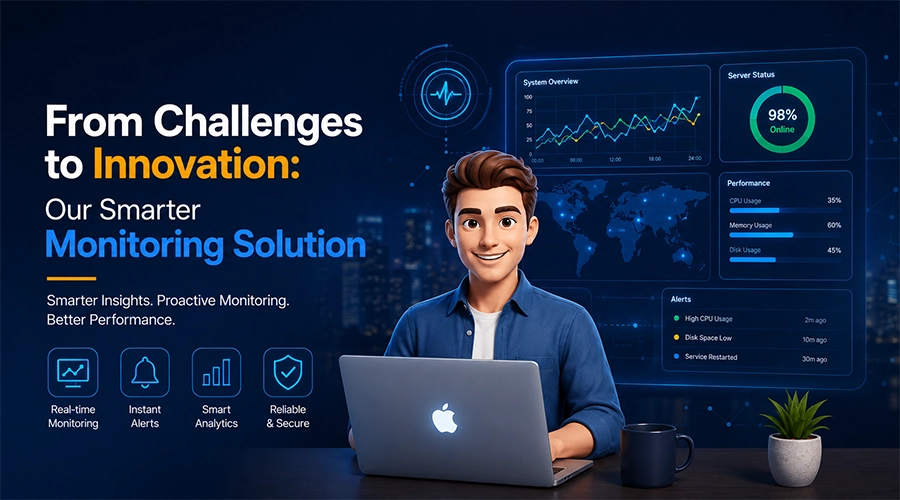
How The Tech Clouds Built a Smarter Website & Server Monitoring Solution
Your website looks nice; nothing felt off. The server seems to be up; who knows? But then you wake up at 2 AM to check whether everything runs as you...

How to Speed Up Your WordPress Site: The Ultimate Optimization Guide
You have gone above and beyond to build your WordPress site, but when a visitor arrives, the loading wheel starts spinning. First 3 seconds gone, then five and so on....

App Development Cost by Country in 2027: USA vs UK vs India
You may want a web app or mobile app with almost the same features, but you’re still getting three different quotes from three different agencies in three different countries. App...