


Why Does My Server Keep Crashing? 9 Causes and Fixes

Has your server crashed in the middle of a critical deployment, taking your uptime, your revenue, and peace of mind with it? You’re not alone. Every year, businesses lose thousands of dollars and countless hours chasing down mysterious downtime.
Here’s the good news: Most server crashes can be traced back to a handful of preventable causes, and once you know them, you can stop firefighting and start preventing.
Quick Answer:
Most of the time, server crashes happen when you’re out of memory. Dealing with corrupted files. Hitting hardware failures and running buggy software. Last but not least, malicious traffic, such as a DDoS attack. Identifying the root cause through logs and monitoring is the fastest way to prevent repeat failures and keep your systems running smoothly.
Key Takeaways:
- Server crashes are inevitable occurrences that are mainly caused by overloading, software errors, attacks, or hardware malfunctions.
- Catching early warning signs can help you avoid unwanted interruptions.
- Downtime can be more harmful than most other operational challenges a server faces.
- In most cases, monitoring tools and system support play a significant role in keeping servers from crashing.
- Finally, developing a disaster recovery procedure is the most reliable way to ensure resources are not completely lost during a crash.
What is a Server Crash?
A server crash occurs when your server stops responding, freezes, or shuts down unexpectedly. And it’s not cheaper either. One server crashing phenomenon could cost around $15,000 per minute on average, according to the latest report.
A server maintenance checklist is really necessary to keep the servers in good health, as ~15–20% of data centers experience at least one outage per year on average, with the rate slowly declining over time. That’s why identifying the trouble early matters so much.
What Signs Signify Server Crashes?
Server failures don’t come without warning. Before going completely dark, servers will show signs you may have overlooked because they seemed trivial. Now let’s learn about this and never ever try to ignore them:
Slow Loading:
A single page takes hours to load, or sometimes it stops loading altogether without warning. This one is a clear sign of a crashed server.
Repeated Errors:
Every time your server throws 500+ errors when someone tries to connect. That’s again a clear sign of a server crash.
Frozen Dashboards:
If the admin panels freeze and your login attempts keep timing out, the operating system and other services will also become unresponsive.
503 Service Unavailable:
Whenever visitors come to your website, they will only see a “503 Service Unavailable” message instead of your actual website.
Error Messages:
You start seeing mysterious error codes with no clear explanation; this again suggests a server crash is likely soon.
Resource Spikes:
CPU and RAM reach capacity limits, database queries become more complex, and network latency rises; DNS failures and incompatible drivers mean the time until a server crash is decreasing.
Dropped Connections:
Your cloud servers tend to lose connections at random, even when traffic levels are normal.
Abrupt Shutdowns:
The entire server shuts down abnormally multiple times, without following the normal shutdown procedure.
When Do Server Crashes Happen?
Server crashes rarely come out of nowhere. They usually build up from something specific going wrong behind the scenes.
Here’s a look at the most common server problems:
Traffic Spikes and Resource Overload:
When more visitors come to your site than usual, resources get stretched, and your server comes under pressure, which can lead to crashes.
Nearly 36% of e‑commerce businesses reported at least one site outage in the past year, often tied to traffic spikes and peak events.
Malware and Cyberattacks (e.g., DDoS):
Distributed Denial-of-Service (DDoS) attacks flood your server with fake traffic until it buckles. Many people ask: “How do you stop DDoS attacks?”
The simple answer is to use rate limiting, strengthen firewall rules, hide your original IP, and incorporate traffic-filtering tools. Nearly 91% of companies report that a single hour of DDoS-related downtime can cost about $30,000.
Software Bugs and Memory Leaks:
Poorly written code or unpatched bugs can quietly eat up your memory over time. Moreover, buggy operating system updates or memory leaks can also cause server crashes.
A real Node.js memory-leak incident caused containers to OOM every ~3 minutes, with 20–30 restarts/hour and 4+ hours of downtime until fixed.
Operating System or Driver Incompatibility:
If you update your kernel components or hardware drivers without proper testing, then you may notice deadlocks or contemporary blue screen or kernel panic errors.
You may wonder why. Server failure is more likely if you’re running Docker or Kubernetes. Outdated drivers can destabilize containerized setups. So, don’t skip compatibility checks.
Power Outages and Voltage Fluctuations:
Sudden power loss or unstable voltage can corrupt data mid-process and force an abrupt reboot. It’s one of the more physical, hardware-driven causes of downtime and can trigger unexpected server crashes too.
Always keep an Uninterruptible Power Supply (UPS) with backup batteries to prevent loss of function or disk corruption. Nearly 54–57% of respondents reported that their last significant outage cost more than $100,000, and the incidents were actually tied to power and infrastructure failures. So, it may sound small, but its impact is the same as the others.
What Are The Effects of Server Crashes?
Once a server goes down, the damage doesn’t stop at the outage itself. It ripples outward in ways that hit your business from multiple angles:
Operational Downtime
Your systems grind to a halt, and everyday business operations basically come to a standstill.
Data Loss
Unsaved transactions or files can vanish for good, especially without proper backups.
Reputational Damage
Repeated outages erode customers’ trust. Even random visitors may neglect your online store or website.
Legal Risk
Hackers wait for customers’ data or business information to vanish from your system. The moment it happens, breach-of-contract or compliance trouble lands on you.
Financial Losses
Every second costs you money in online business, and a server crash always drains your revenue.
Employee Productivity Hit
Because of your crashed server, employees can’t do anything else. No productive work gets done, and wasted hours add up to nothing.
How to Prevent Server Crashes?
You can’t stop every crash, but you can dodge most of them if you stay on top of a few things:
Regular Maintenance
Regular upkeep is really essential; it will help your server to provide its optimum performance. Check hardware components, update software applications, and fix bugs as soon as you notice them.
Monitoring Systems
Always monitor server temperature and set alerts for maximum resource usage. Thoroughly monitor your cooling systems, RAM, hard drives, and other critical components, and replace anything immediately if it shows anything unusual that could cause downtime.
Implementing Redundancy
You can also use RAID (Redundant Array of Independent Disks) configurations. This robust strategy helps businesses protect their information and avoid complications if a failure occurs.
Training Staff
Human error can also cause a server crash. So train your employees on best server management practices and teach them high-level security protocols. Effective training helps prevent crashes.
Disaster Recovery Plan
Always be prepared with a plan for when a server crashes. Write the plan before you need it, not while everything’s already on fire. The plan should cover every strategy that can keep your server running, as if disaster never happened.
Load Balancing
Spread your traffic across multiple servers during peak times like Black Friday sales and use auto-scaling so your server can add capacity when traffic spikes. You also need to use tools like NGINX or HAProxy to check server health.
Businesses often look for an effective server monitoring solution so they can check uptime and receive notifications before any downtime. They also want to watch for SSL or Domain expiration. A tool that can monitor their Ping, Port, Cron job, Kubernetes, Network, Cloud, Docker, Loki, and Prometheus. But packing so many features into one tool sounds difficult, right?
To be honest, not anymore! Because now you have AlertSpy, a website and server monitoring tool that watches each of the above-mentioned spheres and notifies you through Discord, MS Teams, Emails, Slack, Webhooks, and Google Chat.
After using this monitoring solution, server crashes will be rare events!
Need Hands-On Help Fixing Your Server? Let’s Talk!
Closing Thoughts
In this blog, you learned what a server crash is, its key drivers, signs to recognize it, its effects, and prevention strategies. At The Tech Clouds (TTC), we offer server management services and an effective monitoring solution that provides instant alerts before abnormal events happen. Your server crashed? Need Immediate help? Talk to real experts now!

Frequently Asked Questions<>
What is the reason for the server being down?
Same deal really — could be maintenance, a crash, or an attack. Check your logs first; they'll tell you fast.
Why do servers keep crashing?
If it's happening again and again, something isn't fixed right — it could be a recurring memory leak or outdated hardware struggling to keep up.
How does one recover from a server crash?
You need to check the logs to determine the cause of the crash, restart the service, and apply fixes to prevent it from happening again.
How can one address the issue of a server crash?
Address a server crash by first diagnosing the problem to identify the root cause. After that, take corrective action. Always follow these two steps instead of simply rebooting or updating the system.
How long can a server be down?
It depends entirely on the causes. Some fixes take minutes; others (like hardware replacement) can stretch into hours or longer.
How do I get my server back online?
Restart the service or reboot the machine if it's safe, then watch it closely for a bit to make sure it stays stable.
How to repair a server?
Figure out the root cause first — patch software, replace faulty hardware, or free up resources depending on what broke.
What does a server crash mean?
A server crash occurs when a server stops working or becomes unresponsive, causing websites, applications, or online services to go offline.
Why do servers crash?
Servers crash due to hardware failures, software bugs, high traffic, insufficient memory, overheating, power outages, or cyberattacks. Regular monitoring and maintenance help prevent crashes.
Recent Posts







Related Blogs

Cloud Application Development in 2027: Trends, Technologies, and Best Practices
The global cloud application development market is expanding rapidly. It is $450.1 billion in 2026 and is projected to reach $806.91 billion by 2030, with a 15.7% CAGR over the...

How Do You Choose the Right Cloud Provider for Your Migration?
Picking a cloud provider for a migration isn't like picking a laptop. You're handing over your data, your uptime, and a good chunk of your budget for years. The wrong...

Server Security Hardening: Best Practices to Protect Your Infrastructure in 2027
Server security hardening is the process of strengthening your server by systematically configuring it, applying updates, limiting unnecessary access, disabling unused services, and minimizing vulnerabilities to malware and other cyber...

High CPU Usage on Your Server: Causes, Diagnosis, and Fixes
Suddenly your server feels sluggish? You have seen all requests timing out, and the dashboard showing a red signal screaming: CPU at 100%. Do you know what that sign means...

Common Server Problems and How to Fix Them: The Complete Guide
KeyTakeaways Most slowdowns occur when CPU stays above 90%, and disk I/O wait exceeds 10–20ms. Focusing on DNS authentication and strengthening firewall rules can prevent network hiccups, which are a...

How The Tech Clouds Built a Smarter Website & Server Monitoring Solution
Your website looks nice; nothing felt off. The server seems to be up; who knows? But then you wake up at 2 AM to check whether everything runs as you...

What Is The Difference Between Cloud Computing and Cloud Migration?
Businesses today aren’t just building in the cloud; they are constantly rethinking where and how their systems run. That’s where the concept of cloud migration comes in: moving your on-premises...
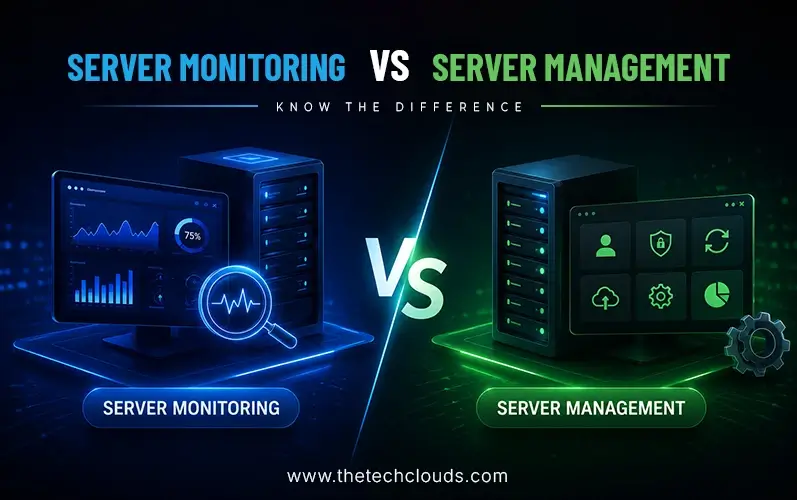
Server Monitoring vs. Server Management: What’s the Difference?
Server monitoring vs. server management is one of the most confusing topics. Business owners think that they need only one approach to run their websites, email, and apps through servers....