


The Ultimate 15 Server Maintenance Checklist for 2026
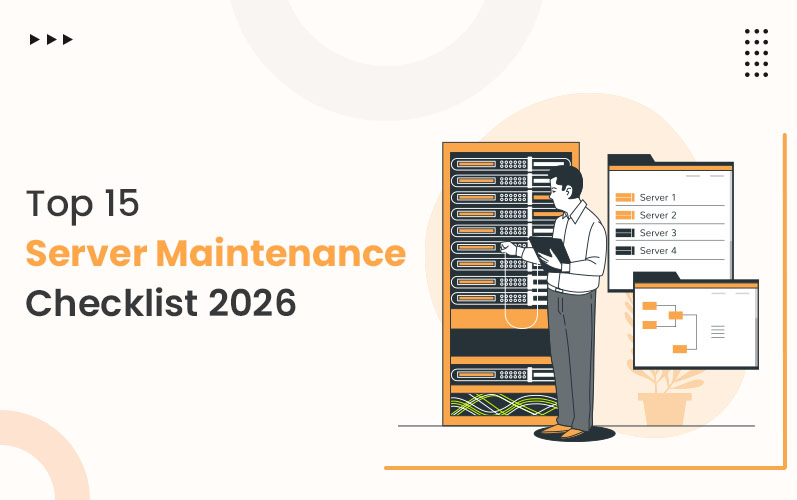
Maintaining your server and keeping it secure, updated, and high performing is highly needed in today’s fast-paced digital environment. A well-structured Server Maintenance Checklist is essential to reduce downtime, improve performance, and protect sensitive data. This guide walks you through 15 must-follow steps to help keep your server in peak condition in 2026.
What Is a Server Maintenance Checklist?
A server maintenance checklist is a structured plan designed to keep your website and hosting infrastructure secure, optimized, and reliable. At the core of this process is the server health checklist, which ensures your system’s performance remains strong, secure, and scalable over time.
Understanding the Need for Maintenance
In today’s digital world, understanding what is server maintenance helps businesses stay resilient, avoid costly downtime, and maintain top performance across web services.
What Is Server Maintenance?
Server maintenance refers to the regular process of checking, updating, and optimizing your servers to ensure everything runs smoothly. This includes software updates, security scans, hardware checks, data backups, and access control to prevent failures and cyber threats.
The Complete Website Maintenance Checklist
Here’s your essential 15-step website and server maintenance checklist for 2026, each tailored to keep your infrastructure reliable and secure.
1. Track Performance with 24/7 Server Monitoring Tools
Monitor CPU, RAM, disk space, and bandwidth in real time. Review system logs to detect unusual activities early. A server health checklist begins with tracking performance metrics to ensure smooth operations before issues become visible to users or clients.
- Why It Matters:
Performance monitoring is your early-warning system and a key component of any server health checklist.
- Pro Tip:
Use dashboards like Datadog or Nagios for live reporting and custom alerts.
2. Secure Your System with a Password Rotation Strategy
Implement unique, complex passwords for all access points. Change them regularly to prevent brute-force attacks. If you're asking what server maintenance is, strong credential server management is a foundational part of protecting admin areas and database environments from unauthorized access.
- Why It Matters:
Password discipline reduces the risk of internal misuse and external hacking.
- Pro Tip:
Adopt a password manager to automate rotation and complexity rules.
3. Prevent User Frustration by Fixing Broken Links
Scan your website for outdated internal or outbound links. Replace or redirect them to maintain a smooth navigation flow. This improves SEO and site authority while contributing to a cleaner backend and better server health checklist compliance.
- Why It Matters:
Fixing links enhances SEO and reduces bounce rates resulting from dead pages.
- Pro Tip:
Use Screaming Frog or Ahrefs monthly for broken link scans.
4. Protect Infrastructure with Regular Vulnerability Scanning
Perform weekly scans for outdated software, weak ports, malware, and misconfigured access points. Learning what is server maintenance includes proactively identifying security gaps before hackers exploit them.
- Why It Matters:
Proactive scanning closes doors before bad actors can walk in.
- Pro Tip:
Use tools like Nessus or Qualys to automate your vulnerability checks.
5. Manage Capacity by Monitoring Server Resources
Monitor resource utilization like RAM, CPU, and disk activity to detect inefficiencies. This practice is a critical part of the server health checklist, helping identify load spikes and storage issues before they cause downtime.
- Why It Matters:
Resource tracking helps scale efficiently and avoid performance bottlenecks.
- Pro Tip:
Set automatic alerts for when resource usage crosses specific thresholds.
6. Keep Systems Stable by Updating CMS and Control Panels
Update your content management system and host control panel software regularly. New versions offer performance boosts and security patches that block known vulnerabilities and improve integration.
- Why It Matters:
Outdated CMS versions are a major risk vector for attacks.
- Pro Tip:
Enable auto-updates for patches; test major upgrades on staging servers.
7. Maintain Compatibility by Updating Plugins and Themes
Outdated plugins can cause functionality issues or be exploited by hackers. Keep all themes and extensions current to improve speed, UX, and security across your website and server environment.
- Why It Matters:
Plugin updates resolve bugs and close known security holes.
- Pro Tip:
Delete unused plugins or themes to reduce code clutter and risk.
8. Boost Search Visibility by Reviewing SEO Settings
Audit keywords, metadata, headings, and schema markup. Incorporating server routine maintenance steps into SEO ensures that site structure, crawlability, performance, and user behavior are all optimized
- Why It Matters:
Good SEO drives traffic and supports your site's technical stability.
- Pro Tip:
Use Google Search Console to track broken indexing or keyword gaps.
9. Stay Relevant by Publishing Fresh Content Regularly
Keep your content up to date with blogs, product updates, and landing pages. New content enhances engagement and strengthens your domain’s trustworthiness, which is also helpful for your server health checklist goals.
- Why It Matters:
Regular content helps maintain search rankings and site activity.
- Pro Tip:
Repurpose top-performing content into videos, infographics, or newsletters.
10. Avoid Data Loss with Automated Backup and Testing
Set daily or weekly backups for site files, databases, and config files. Testing recovery regularly ensures that your server maintenance plan covers worst-case scenarios.
- Why It Matters:
Backup is your last line of defense against ransomware or failure.
- Pro Tip:
Follow the 3-2-1 rule: 3 backups, 2 media types, 1 off-site.
11. Strengthen Security by Installing Patches and Updates
Keep your OS, database, and server software up to date with the latest patches. This protects you from newly discovered exploits and vulnerabilities.
- Why It Matters:
Unpatched software is one of the easiest targets for attackers.
- Pro Tip:
Automate update scheduling during low-traffic hours for safety.
12. Extend Server Life by Monitoring Hardware Health
Run diagnostics on hard drives, cooling systems, and power supply units. Track component usage and lifecycle as part of your server health checklist to avoid breakdowns.
- Why It Matters:
Monitoring hardware prevents costly downtime or unexpected hardware failure.
- Pro Tip:
Use SMART status checks and replace parts proactively.
13. Optimize Mail Flow by Managing Spam and Inbox Clutter
Audit your mail server for spam, bounces, and junk. Clean up inboxes, optimize SMTP configurations, and apply domain protections.
- Why It Matters:
Spam buildup eats up resources and affects your sender's reputation.
- Pro Tip:
Implement SPF, DKIM, and DMARC to authenticate outgoing mail.
14. Improve Efficiency by Archiving Old Content
Identify underperforming or outdated content and either update or archive it. This keeps your content strategy focused and lightens the load on your server.
- Why It Matters:
Consolidating old pages improves performance and reduces clutter.
- Pro Tip:
Use Google Analytics to spot low-traffic pages for review.
15. Secure Access Points with Role-Based User Permissions
Review all user access levels and disable unused accounts. Limit access based on user role. This is a major safeguard in your server maintenance plan.
- Why It Matters:
Access control reduces the risk of internal breaches and human error.
- Pro Tip:
Audit user roles quarterly and apply 2FA on admin accounts.
Read more: Server Management Services: Basic Understanding
Build Server Resilience to Thrive in 2026
This comprehensive server health checklist is your roadmap to greater security, performance, and reliability in 2026. Whether you're a growing business or managing enterprise infrastructure, consistency is key. By following server preventative maintenance best practices and with expert support from The Tech Clouds (TTC)—a trusted name in server management—you can stay proactive, minimize downtime, and ensure your digital foundation is always at its best.
Let TTC help you navigate every aspect of server maintenance with confidence and clarity.

Frequently Asked Questions
What are some common server maintenance tasks?
Common tasks include patching software, updating plugins, monitoring resources, reviewing user roles, backing up data, and testing recovery plans for reliable server operation.
How does TTC help with server maintenance?
The Tech Clouds (TTC) offers end-to-end server management services—handling performance tracking, security audits, backups, and updates to keep your infrastructure running at peak efficiency.
What tools are recommended for server performance monitoring?
Tools like Zabbix, Datadog, and Nagios monitor CPU, RAM, and network usage, offering real-time alerts to catch performance issues before they escalate.
Why should outdated user accounts be removed?
Removing inactive accounts strengthens access control, reduces potential breach points, and supports data security as part of every reliable maintenance strategy.
Can TTC assist with secure backup strategies?
Yes. The Tech Clouds (TTC) implements secure, automated backup solutions including the 3-2-1 strategy. The 3-2-1 rule recommends keeping 3 copies of your data, stored on 2 different media types, with 1 stored off-site to ensure quick recovery during failures. TTC uses this strategy to safeguard business data and ensure fast recovery when needed.
Can plugins and themes affect server performance?
Absolutely. Outdated or incompatible plugins and themes can introduce bugs, security risks, or slowdowns, making regular updates vital to performance and protection.
Is SEO part of server maintenance?
Yes, indirectly. Fast loading, error-free links, and high uptime all ensured by server maintenance. This impacts SEO rankings and user experience significantly.
Recent Posts






Related Blogs

5 AI Coding Agents You Should Try in 2027
Writing code is no longer confined to a quiet environment with just your system and coffee. Reports show that 84% of developers use or plan to use AI tools to...

What Factors Should a Business Consider When Choosing a CRM Development Partner?
CRM is an operational tool that sits between your business and customers. A CRM development partner can transform how your business handles customer relationships. Now that CRM is the only...

Cloud Application Development in 2027: Trends, Technologies, and Best Practices
The global cloud application development market is expanding rapidly. It is $450.1 billion in 2026 and is projected to reach $806.91 billion by 2030, with a 15.7% CAGR over the...

How Do You Choose the Right Cloud Provider for Your Migration?
Picking a cloud provider for a migration isn't like picking a laptop. You're handing over your data, your uptime, and a good chunk of your budget for years. The wrong...

Server Security Hardening: Best Practices to Protect Your Infrastructure in 2027
Server security hardening is the process of strengthening your server by systematically configuring it, applying updates, limiting unnecessary access, disabling unused services, and minimizing vulnerabilities to malware and other cyber...

AI App Development Trends 2027: What Businesses Need to Know
A CTO opens two dashboards side by side. One is his competitor's; the other is his own. The competitor's page was built on an AI system that tracks customers' order...

High CPU Usage on Your Server: Causes, Diagnosis, and Fixes
Suddenly your server feels sluggish? You have seen all requests timing out, and the dashboard showing a red signal screaming: CPU at 100%. Do you know what that sign means...

Why Does My Server Keep Crashing? 9 Causes and Fixes
Has your server crashed in the middle of a critical deployment, taking your uptime, your revenue, and peace of mind with it? You’re not alone. Every year, businesses lose thousands...