


How to Prevent Spam Registration on WooCommerce in 2026
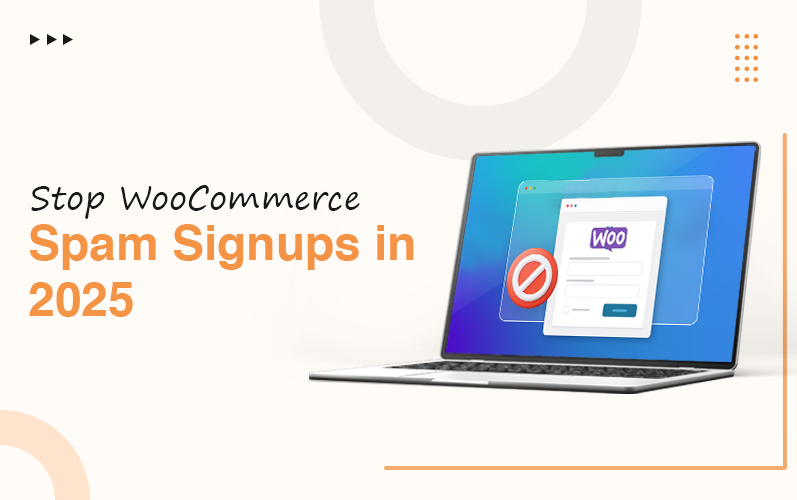
Spam registrations are a growing concern for online store owners using WooCommerce. Not only do they clutter your user database, but they can also lead to security risks, fake orders, and increased maintenance work. If you’re running an eCommerce store, it’s essential to know how to stop WooCommerce registration spam to keep your site safe, clean, and efficient. In 2025, with bots becoming more advanced, proactive measures are more important than ever.
Key Takeaways
- Spam registrations flood your WooCommerce user table with fake accounts, skew analytics, and open the door to security issues.
- A simple CAPTCHA/reCAPTCHA layer blocks most automated bots while keeping sign‑up easy for real customers.
- Email verification plus domain/reputation checks stop throwaway addresses and suspicious sign‑ups before accounts activate.
- Adding a WAF/bot manager, honeypot fields, and rate limiting creates multiple barriers so bots can’t breeze through your form.
- Treat spam prevention as an ongoing job: monitor logs, update plugins, and tweak rules as bot tactics change.
Quick Answer: How Do I Stop Spam Registration on WooCommerce?
Start by enabling CAPTCHA or reCAPTCHA on your registration form, then require email verification so accounts activate only after a real inbox confirms the address. Layer in a web application firewall or bot management tool, add a hidden honeypot field to trap bots, and limit how many sign‑up requests one IP can send in a short time. Together, these steps block most automated spam while keeping the process smooth for genuine shoppers.
What Is Spam Registration in WooCommerce?
Spam registration in WooCommerce happens when bots or bad actors create fake user accounts through your sign‑up form. These accounts clutter your customer list, distort reports, and can be used to push malicious links or test stolen card data. In practice, you’ll see a surge of users with strange names, random emails, or patterns like “user12345@tempmail” appearing overnight.
Why Spam Registrations Are a Problem
Spam registration occurs when bots or malicious users create fake accounts on your site. This can flood your admin panel, skew analytics, and even make it harder for you to manage legitimate customer data. These fake sign-ups can come from automated scripts or software that specifically targets registration pages. These counterfeit registrations degrade your website’s reputation and deter your website’s potential users. Moreover, this feature also harms your website security by inserting malicious links into the website.
Effective Ways to Stop WooCommerce Bot Spam Registrations
You need to craft a strategy integrated with innovative gadgets to ensure robust security to protect your WooCommerce store. Here’s how you can tackle stopping WooCommerce bot spam registrations effectively in 2025:
1. Enable CAPTCHA or reCAPTCHA
CAPTCHA stands for Completely Automated Public Turing test to tell Computers and Humans Apart. CAPTCHA and reCAPTCHA are some effective techniques to reduce spam by preventing bots from spamming the registration forms. CAPTCHA alone blocks a good chunk of simple spam, around 70–80%, but more advanced bots can bypass many traditional challenges.
Tools like Advanced noCAPTCHA & Invisible CAPTCHA or Wordfence offer excellent options that integrate smoothly with WooCommerce. Google reCAPTCHA is a popular tool that offers 2-step verification. One is reCAPTCHA v2 (checkbox verification), and another is reCAPTCHA v3 (background verification). Employing these advanced tools, you can traverse to the reCAPTCHA Products page, which will further open the admin area.
2. Email Verification + Domain/Reputation Filtering
Email verification is a method for verifying messages to confirm they come from an authenticated source. In this process, users must first click a confirmation link to activate their accounts. This process filters out bot-based signups and high‑risk email domains.
No disposable email domains should remain after implementing this practice. You can easily catch bots that use fake or temporary inboxes and block sign‑ups from domains known for abuse. Furthermore, it helps you to validate email plugins or your registration plugin’s settings.
3. Disable Default WooCommerce Registration
Another tactic is to disable the default WooCommerce registration form and replace it with a custom-built one using plugins like User Registration or WPForms. Initially, when you disable the WooCommerce registration, it blocks the number of spam users that were once built by hostile users and poses a threat to your website. These tools provide extra customization and security layers, helping you block suspicious entries. Impaired WooCommerce registration boosts the credibility of the website, safeguards spam orders, and promotes seamless user management.
4. Set Up IP and Country Restrictions
Limit access to your registration page by setting rules that block certain IP ranges or countries that are known sources of spam registration. This procedure inhibits access from various IP addresses or countries and permanently intercepts malicious activities. Use security plugins like iThemes Security or WPBruiser to implement this control effectively. This step also protects the server resources while improving the user experience and security.
5. Hire a WooCommerce Developer
Sometimes, the best way to secure your site is to get expert help. If you’re dealing with repeated spam attacks, it may be time to hire WooCommerce developer professionals who can audit your site, implement advanced bot protections, and create a custom registration process tailored to your needs. Hiring an experienced woocommerce specialist optimizes security, minimizes workload, and can build a more durable online store. Hire WooCommerce developers from a reputable company who are adept at developing highly customizable websites and a responsive layout utilizing front-end web development technologies.
6. Add WAF / Bot Management
You must use a web application firewall or bot management service (for example, Cloudflare Bot Management, Sucuri, or a host‑level WAF). This will help you to inspect traffic before it hits your site.
These tools detect threats and web breaches and also block known bad IPs, datacenter ranges, and suspicious request patterns tied to registration spam.
7. Add a Honeypot Anti‑Spam Layer
Always insert a hidden form field that humans never see, but bots typically fill in. If that field has a value on submit, you reject the registration as spam.
In real tests, adding a honeypot dropped spam submissions from 89% to around 8% with almost no change in conversion. This works especially well on WooCommerce because most spam bots blindly complete every field they find.
8. Apply Rate Limiting to Registration Requests
Limit how many registration attempts a single IP or device can make within a set time window (for example, 3–5 tries per hour). This slows down bulk sign‑up attacks and makes large‑scale spam campaigns impractical.
You can enforce rate limiting via your WAF, security plugin, or server rules. By capping repeat attempts, you stop automated scripts from flooding your user table even if they slip past other checks.
WooCommerce Spam Registration Prevention Checklist (Flowchart)
[Visitor hits Registration Page]
↓
[WAF / Bot Manager checks IP & behavior]
↓
[CAPTCHA / reCAPTCHA challenge shown]
↓
[User submits form → Honeypot field checked]
↓
[Email format + domain/reputation validation]
↓
[Rate limiting: Is this IP over the threshold?]
↓
[If all checks pass → Send verification email]
↓
[User clicks link → Account activated]
↓
[Log event & monitor for patterns]
Use this as your mental model: every box is a gate. The more gates a bot has to pass, the less likely it is to complete a fake sign‑up, while real customers still move through with minimal friction.
Monitor and Maintain Your Store Regularly
Once you’ve taken steps to stop spam, continue monitoring your site. Regularly update plugins, theme files, and WooCommerce to ensure vulnerabilities are patched. Using logging tools to track suspicious activity is also a smart move.
In the long run, understanding how to stop WooCommerce registration spam is about building a secure and user-friendly experience. Prevention is always better than a cure, especially when dealing with bots and fake users that can affect your store’s reputation.
Spam, Fake Users, or Security Issues on Your WooCommerce Store?
Final Thoughts
With cyber threats and spam bots becoming more sophisticated in 2026, store owners must stay ahead with smart strategies and tools. Knowing how to stop WooCommerce registration spam helps protect your customer data, website performance, and business credibility. From enabling reCAPTCHA to choosing to hire WooCommerce developer experts for personalized solutions, staying vigilant is key. Don’t let stopping WooCommerce bot spam registrations be an afterthought; act today to safeguard your eCommerce success. Contact The Tech Clouds (TTC), a trustworthy company, for hiring proficient WooCommerce expert for securing and optimizing your WooCommerce stores.
Reach out to The Tech Clouds (TTC)—your trusted partner for secure, scalable, and high-performing eCommerce solutions tailored to your business needs.

Frequently Asked Questions
Preventing spam user registrations on the WooCommerce site?
Enable reCAPTCHA, use email verification, and install anti-spam plugins like Stop Spammers. These tools can effectively block bots and ensure only real users register on your WooCommerce site.
What should I do if my WooCommerce site is already overwhelmed with spam registrations?
Clean up fake accounts, install anti-spam tools, and enforce CAPTCHA. Switch to a custom registration form and consider expert help to secure your site against future spam attacks.
How often should I update my anti-spam measures for WooCommerce?
Review and update your anti-spam tools monthly. Keep all plugins, themes, and WooCommerce versions current to ensure compatibility with new security patches and evolving spam tactics.
How to stop WooCommerce registration spam by using free plugins?
Install free plugins like WP Armour or Advanced noCAPTCHA. These tools add protection to registration forms, helping stop bots without complicating the user experience or slowing down your site.
Can WooCommerce registration spam affect my site’s performance?
Yes, excessive spam registrations can slow down your site, overload your database, affect analytics, and even compromise security. It’s crucial to stop spam to maintain optimal performance and trust.
Recent Posts






Related Blogs

Cloud Application Development in 2027: Trends, Technologies, and Best Practices
The global cloud application development market is expanding rapidly. It is $450.1 billion in 2026 and is projected to reach $806.91 billion by 2030, with a 15.7% CAGR over the...

How Do You Choose the Right Cloud Provider for Your Migration?
Picking a cloud provider for a migration isn't like picking a laptop. You're handing over your data, your uptime, and a good chunk of your budget for years. The wrong...

AI App Development Trends 2027: What Businesses Need to Know
A CTO opens two dashboards side by side. One is his competitor's; the other is his own. The competitor's page was built on an AI system that tracks customers' order...

High CPU Usage on Your Server: Causes, Diagnosis, and Fixes
Suddenly your server feels sluggish? You have seen all requests timing out, and the dashboard showing a red signal screaming: CPU at 100%. Do you know what that sign means...

Why Does My Server Keep Crashing? Common Causes and Fixes
Has your server crashed in the middle of a critical deployment, taking your uptime, your revenue, and peace of mind with it? You’re not alone. Every year, businesses lose thousands...

Common Server Problems and How to Fix Them: The Complete Guide
KeyTakeaways Most slowdowns occur when CPU stays above 90%, and disk I/O wait exceeds 10–20ms. Focusing on DNS authentication and strengthening firewall rules can prevent network hiccups, which are a...

How The Tech Clouds Built a Smarter Website & Server Monitoring Solution
Your website looks nice; nothing felt off. The server seems to be up; who knows? But then you wake up at 2 AM to check whether everything runs as you...
How to Speed Up Your WordPress Site: The Ultimate Optimization Guide
You have gone above and beyond to build your WordPress site, but when a visitor arrives, the loading wheel starts spinning. First 3 seconds gone, then five and so on....