


Cloud Migration Checklist – An Ultimate Guide
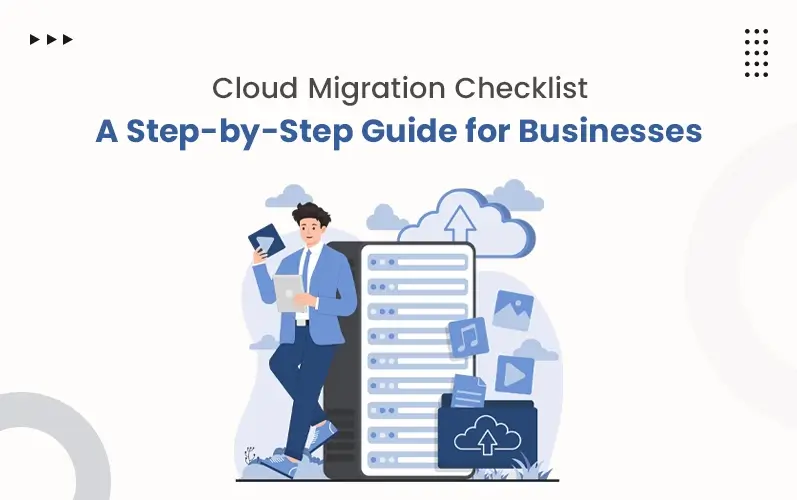
Switching to the cloud is one of the most preferred choices of modern businesses. This strategy streamlines their workflow and provides flexibility and scalability. With a cloud computing strategy, remote access and disaster recovery become a breeze.
But moving your data to the cloud is not always easy. A strategic roadmap needs to be followed. Otherwise, the migration process may open the door to several hacking attacks, data breaches, and expensive penalties. A complete cloud migration checklist guarantees a smooth and successful cloud transition.
This blog reveals a detailed checklist for the cloud migration process. So, without wasting time, let’s get started!
Key Takeaways:
- A cloud migration checklist ensures a thorough, smooth, and secure transition.
- A cloud migration checklist is a systematic approach. Following it guarantees scalability, better security, and smooth transfer of data.
- The checklist begins with the pre-migration process. This phase is all about setting up the environment for migration.
- The planning stage determines the strategy used and the timeline required to perform the process. In this phase, migration tools are tested and resources are allocated.
- During the phase, data and applications are transferred one by one efficiently. Accuracy and security are maintained throughout the process.
- In the post-migration stage, routine performance checking and resource optimization are carried out. Training is conducted for the teams for efficient use.
Cloud Migration Checklist: What It Is and Why It Matters
A cloud migration checklist is a step-by-step process. Using this approach, organizations move their business information from on-premise systems to clouds.
Without this structured path, an organization may face numerous challenges during migration. Clear cloud migration steps avoid vulnerabilities and security gaps. Let’s see some of its benefits:
- It minimizes downtime.
- Improves security.
- Saves time and cost.
- Safely move data to the cloud servers.
Pre-Cloud Migration Checklist
Before starting the process, lay the tracks ready for success. This is your high time to decide the cloud migration strategies. These following steps reduce risks and ensure a smooth transition to the cloud environment:
Evaluate Existing IT Infrastructure:
Check your present IT infrastructure thoroughly. Assess the hardware, software, applications, servers, databases, and network components. This helps identify dependencies, compatibility issues, and workloads. Key insights are necessary for successful migration.
Asset Inventory and Catalog:
Before anything else, list every server, app, and dataset you own. Without proper inventory, it’s easy to lose track of what actually needs to be moved.
Define Migration Goals KPIs:
Make a detailed list of goals. Establishing objectives helps you achieve scalability and cost efficiency. KPIs also help you meet performance and compliance goals.
Performance baseline capture:
Note current load times, uptime, and resource usage before you touch anything. You’ll need these numbers later to prove the migration actually worked.
Select a Suitable Cloud Provider:
Compare different service providers based on services and pricing. They will help you in clearing the complex concepts of infrastructure as a service (IaaS), platform as a service (PaaS), and software as a service (SaaS). A reliable provider removes confusion and guides you to the best choice.
Cloud Provider & Service Selection Checklist:
Go beyond pricing sheets- check regional data centers, compliance certifications, and native tooling before locking in a provider.
Conduct Risk Cost Analysis:
Set a practical budget before migration. Ask your provider whether there are any hidden costs present or not. Identify what issues may occur. This could be security threats, data loss, and so on. Being prepared for that is essential.
TCO estimation & Cost Modelling:
Add up compute, storage, support, and licensing costs together, not separately. That’s the only way to know if the cloud actually saves you money.
Security & Compliance Planning:
Develop a strong security framework. This is essential for protecting your business data and ensuring regulatory compliance. A well-defined cloud migration approach strengthens strong encryption protocols and dual authentication access.
Data Classification & Compliance Mapping:
Sort your data by sensitivity first- customer records, financial data, internal files- so the right compliance rules get applied to each type.
Backup Critical Data:
Before starting the migration process, store data in a secure location. Nowadays, companies emphasize multi-cloud architecture. This will ensure data won’t be affected due to migration.
License Impact Analysis: Check which of your current software licenses actually carry over to the cloud and which ones you’ll need to renegotiate or drop.
Planning Cloud Migration Checklist
License Impact Analysis: Check which of your current software licenses actually carry over to the cloud and which ones you’ll need to renegotiate or drop. After pre-cloud migration, it is essential to buckle up for the actual process. These key steps are just the previous phase of cloud migration:
Choose migration strategy:
The 6R strategy is a great migration process where switching data is done in 6 steps. A proper cloud migration assessment checklist saves you from many complications and moves data while maintaining integrity.
- R-lane Mapping (6Rs) Per Workload: Don’t apply one strategy to everything. Each workload should get its own lane- rehost, replatform, refactor, repurchase, retain, or retire.
- Rehost: Move the whole workload without any changes in its code or architecture.
- Replatform: Make small adjustments to take advantage of the cloud without going for a full rebuild.
- Refactor: Redesign the application to be cloud-native and scale better long-term.
- Repurchase: Replace the current system with a new cloud-based product entirely.
- Retain: Keep the workload where it is for now, at least until it’s ready to move.
- Retire: Shut down the workload if it’s no longer needed or ads no value.
Create a Migration Timeline:
Before starting migration, you need to prepare for downtime as well. Plan a schedule for live replications in case any error occurs. A timeline ensures smooth coordination of teams and cloud computing resources.
Stakeholder Communication Plan:
Keep leadership and end-users in the loop about what’s happening and when. Surprises during downtime cause far more frustration than the downtime itself.
Conduct Schema Conversion and Data Validation:
You can use tools like AWS SCT or Azure DMA for converting database schemas according to cloud needs. Validate data accuracy, integrity, and consistency to avoid errors.
Landing Zone Design Principles: Set up your account structure, networking arrive – not after. A messy landing zone is hard to fix later.
Allocate Resources and Teams:
Hire cloud migration experts for proper migration. They have the knowledge of efficient tools and methods required for error-free migration. Collaboration with them ensures faster problem resolution.
Operations Tooling & CMDB Alignment:
Update your configuration management database and monitoring tools to match the new setup, or your ops team will be flying blind after go-live.
Test Migration Tools:
Check tools and platforms before the initiation of the migration process. Testing tools beforehand reduces migration risks and improves overall system performance.
Pilot Migration/ Proof of Concept:
Move one small, low-stakes workload first. It’s the cheapest way to find out what breaks before you commit to the full migration.
Choose Optimal Migration Timing:
Always perform migration during low traffic. This is because during low-traffic periods few users are present, so the migration process is less likely to be interrupted.
During Cloud Migration Checklist
This stage solely focuses on the migration phase. Databases, applications, and other resources are shifted from on-premises infrastructure to cloud servers.
These are the key steps that should be followed during migration:
Safe Data Transfer Process:
Use strong encryption protocols and secure network connections in your migration process. This ensures your data remains protected throughout the process.
Encryption & Key Management Policy:
Decide upfront how encryption keys get generated, stored, and rotated. Encrypting data means little if the keys aren’t managed properly.
Track Application Performance:
Early identification of the bottlenecks and tracking workloads prevent problems during migration.
Workload Critically & Prioritization:
Watch your most business-critical applications more closely than the rest – a slowdown there costs a lot more than one on a minor internal tool.
Maintain Data Accuracy:
Check the data before transferring. During transferring. And lastly, check it after the overall migration process. This ensures information remains accurate throughout the process. No misinterpretation happens.
Detailed Testing Checklist (Functional, Performance, DR, Security):
Run functional, performance, disaster recovery, and security tests at every stage – not just once at the end.
- Functional Testing: confirms each feature and workflow still works the same way after the move.
- Performance Testing: Checks whether speed and load times hold up under real traffic.
- DR (Disaster Recovery) Testing: Confirms that data and systems can actually be restored if something fails.
- Security Testing: Checks for exposed access points, misconfigurations, or vulnerabilities introduced during migration.
Continuous Security & Response Planning:
Even during the migration phase, controlling security is a top concern. Use an activated CI/CD pipeline for real-time checking. Create a response plan to handle potential security breaches.
Rollback & Failback Runbooks:
Write down the exact steps to reverse a migration before starting process, so if you fail, you can return without damaging your data.
Configure Identity Access Management:
During the migration phase, give access to minimal people. Implement zero-trust architecture, multi-factor authentication (MFA), and role-based access control. These additional security checks fortify the security wall and make it difficult for the hackers to break in.
IAM Redesign & RBAC Model:
Rebuild access permissions from scratch around least privilege, rather than copying over old, overly broad access rules.
Handle Errors & Troubleshooting:
Detecting the system is mandatory at this stage. A single error may lead to inefficiencies and welcome wide vulnerabilities. Quickly detect and resolve the issues at each step during the migration process.
Application Dependency Mapping:
Knowing which apps talk to which services make it much faster to trace an error back to its actual source instead of guessing.
Cloud Migration Strategy & Execution: A Complete Value Framework
| Factor | Pre-Migration | Planning Phase | During Migration | Post-Migration |
|---|---|---|---|---|
| Strategy | Define business goals and migration purpose | Align goals with migration approach and choose the right architecture | Execute strategy with proper coordination | Review outcomes and align with future goals |
| Risk & Security | Identify risks and compliance requirements | Plan security controls and backup strategies | Ensure secure data transfer during migration | Monitor threats and strengthen security with advanced controls |
| Performance & Efficiency | Assess current system performance | Design a scalable and efficient cloud environment | Track application performance and resource usage | Optimize resources for cost and performance |
| Team & Operations | Evaluate team skills and readiness | Assign roles and prepare migration timeline | Coordinate teams and handle real-time issues | Train teams and improve cloud management practices |
Post Cloud Migration Checklist
When the migration process is over, it’s high time for optimization. These are some of the best cloud migration practices for better workflow and strong security:
Frequent Performance Checking:
After migration, it is important to note whether all applications and databases run properly or not. This prevents unexpected errors that can lead to lump-sum expenses.
Post-Migration Health Checks & KPI Review:
Pull up the baseline numbers you captured earlier and compare them against current performance. That’s the real test of whether migration paid off.
Optimize Cloud Resources:
Cloud platforms allow businesses to increase or decrease storage whenever required. It can scale computing resources up during high demand and down during low demand.
Reserved Capacity & Autoscaling Strategy:
Lock in reserved pricing for workloads you know will run constantly and let autoscaling handle the unpredictable spikes.
Strengthen Security Controls:
Implement security measures to protect applications, systems, and sensitive cloud data. Regular security updates reduce vulnerabilities and prevent unauthorized access.
Network Security Baseline & Segmentation:
Split your cloud network into segments, so a branch in one area doesn’t automatically expose everything else.
Train Teams on Cloud Management:
Provide training programs to staff. A training session helps them to understand the cloud tools and platforms comprehensively. Skilled teams can manage systems efficiently and handle operational challenges.
Observability Standards (Logging, Metrics, Alerts):
Get teams comfortable reading logs, metrics, and alerts consistently across systems, so problems get caught before users notice them.
Set Up Regular Audits:
Regular auditing is necessary to prevent issues at the budding stage. It also helps to make alterations if needed. Leverage automated patching for avoiding vulnerabilities.
Compliance Validation & Audit Checks:
Schedule audits against the specific regularly your industry requires, not just a general security review.
Governance & Review Cadence:
Set a fixed schedule- monthly or quarterly to revisit cost, security, and performance together as a standing habit, not a one-off task.
Validate Applications & Databases:
Verify that all applications and databases function correctly after migration. Proper validation prevents unexpected errors and ensures reliable system performance.
Continuous Optimization & Rightsizing:
Keep checking instance sizes and storage tiers against actual usage. What fit six months ago is probably oversized now.
Migration Hire a Cloud Team for a Smooth and Secure Transition!
Final Words
Implementing a complete cloud migration checklist avoids unexpected costs and enhances scalability. This guide discusses the pre-stage, planning stage, during-phase, and post-phase of the cloud migration roadmap.
If you need cloud migration professional services, get in touch with our expert team. We, The Tech Clouds (TTC), provide white-hat cloud migration services. Our team helps you execute the checklist efficiently and creates a secure cloud environment.

Frequently Asked Questions
How do I choose the right cloud architecture?
The right architecture depends on your business goals, scalability needs, and compliance requirements. Options like public, private, hybrid, and multi-cloud offer different benefits for organizations.
What are the common risks in cloud migration?
Common risks include cost overruns, security issues, compliance problems, and downtime. Working with The Tech Clouds (TTC) helps reduce these risks with proven strategies and strong governance.
How can automation help with cloud migration?
Automation speeds up the migration process and reduces manual work and errors. It also improves deployment speed, scalability, and overall system efficiency.
Recent Posts






Related Blogs

Cloud Application Development in 2027: Trends, Technologies, and Best Practices
The global cloud application development market is expanding rapidly. It is $450.1 billion in 2026 and is projected to reach $806.91 billion by 2030, with a 15.7% CAGR over the...

How Do You Choose the Right Cloud Provider for Your Migration?
Picking a cloud provider for a migration isn't like picking a laptop. You're handing over your data, your uptime, and a good chunk of your budget for years. The wrong...

Server Security Hardening: Best Practices to Protect Your Infrastructure in 2027
Server security hardening is the process of strengthening your server by systematically configuring it, applying updates, limiting unnecessary access, disabling unused services, and minimizing vulnerabilities to malware and other cyber...

High CPU Usage on Your Server: Causes, Diagnosis, and Fixes
Suddenly your server feels sluggish? You have seen all requests timing out, and the dashboard showing a red signal screaming: CPU at 100%. Do you know what that sign means...

Why Does My Server Keep Crashing? 9 Causes and Fixes
Has your server crashed in the middle of a critical deployment, taking your uptime, your revenue, and peace of mind with it? You’re not alone. Every year, businesses lose thousands...

Common Server Problems and How to Fix Them: The Complete Guide
KeyTakeaways Most slowdowns occur when CPU stays above 90%, and disk I/O wait exceeds 10–20ms. Focusing on DNS authentication and strengthening firewall rules can prevent network hiccups, which are a...

How The Tech Clouds Built a Smarter Website & Server Monitoring Solution
Your website looks nice; nothing felt off. The server seems to be up; who knows? But then you wake up at 2 AM to check whether everything runs as you...
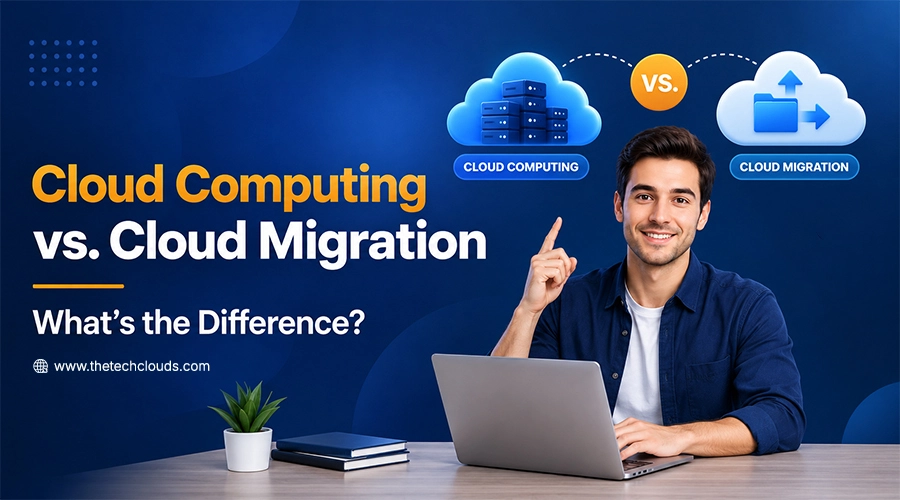
What Is The Difference Between Cloud Computing and Cloud Migration?
Businesses today aren’t just building in the cloud; they are constantly rethinking where and how their systems run. That’s where the concept of cloud migration comes in: moving your on-premises...