


Top Bagisto Performance Tips for Faster Ecommerce Stores
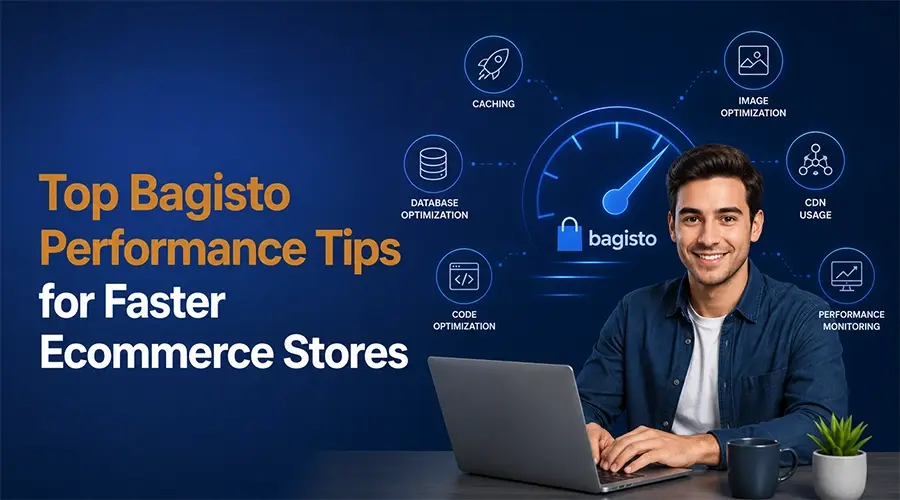
After working on 3+ prestigious Bagisto projects, we can say that Bagisto gives a competitive edge to brands. It comes with thousands of built-in performance features. With some simple optimization techniques, Bagisto page speed can be better upto 80% from others platforms.
If you run a Bagisto-built e-commerce, how can you achieve a fully optimized store? Use full page caches, our bagisto development services expert always use this hack. We have experienced upto 75% page speed improvement outcomes using this Bagisto tips.
Another thing we count on is that we optimize all asset sizes. Include the HTML, CSS, and JS files, implementing CDN. We take full control of the server setups, including using a cloud server. Another thing where our SEO experts intervene is in using monitoring Core Web Vitals and image file optimization.
Key Takeaway
- Use or upgrade to a reliable hosting plan for your Bagisto store. Use an e-commerce-specific plan.
- Keep a Bagisto support team by your side to migrate, customize, or maintain your online presence easily.
- Enabling full page caching is a useful tool to improve bagistor performance.
- Optimize image and media files using the WebP format
- Use tools and extensions to minimize the JS, CSS, and HTML files
- Optimize the database and use the latest version of the Bagisto extensions. It keeps compatible and bug-free.
| Optimization Area | What to Do | Benefit |
|---|---|---|
| Hosting Setup | Cloud hosting and upgrade to ecommerce focused hosting plan | Better uptime and stability |
| Full Page Caching | Enable config, route, and view cache | Faster page response time |
| CDN Integration | Deliver files from nearest server | Faster global loading |
| Image Optimization | Convert images into WebP format | Reduced page size |
| CSS & JS Minification | Remove unnecessary code and comments | Improved frontend speed |
| Database Optimization | Clean logs and optimize queries | Faster admin performance |
| Extension Management | Remove unused plugins and update modules | Better security and compatibility |
| Core Web Vitals Monitoring | Track website speed and usability | Improved SEO rankings |
| Bagisto Support Team | Get expert maintenance and monitoring | Prevent downtime and technical issues |
Bagisto Performance Optimization Tips [Used by Bagisto Partners]
Use a Stable Server Support
The first thing you should work on is the hosting or server. Whatever you do, if your server is not stable, don’t expect results. Select a reliable hosting provider. Look for a hosting plan specific to an e-commerce store. Upgrade to the latest PHP version and choose an optimal setup. Like 2 GB + RAM. It will be better to choose a cloud server and SSD storage.
This not only improves the store’s performance. It can handle more traffic during busy hours. There will be no sudden downtime.
You can also partner with Bagisto support. They can recommend some of the outstanding tips as per your requirements.
Enable Full Page Caching
You can improve your Bagisto store performance by upto 75%. No need for advanced configuration or validation. You just need to follow basic e-commerce tips. That is the full page caching. That’s how you can improve the page response time without burdening your server.
Open the terminal inside the Bagisto project. Run the config cache command. Run the route cache command and run the view cache command.
However, we want to share something here. In all projects, before enabling any cache, we always make sure the server setup is complete. Hosting quality affects caching effectiveness. Poor servers can still feel slow even with caching enabled.
Image and Media File Optimization
In most of our Bagisto projects, our The Tech Clouds team have seen that image files are a hidden problem. We know it feels good to load high-resolution product images. We know these visuals are non-negotiable in e-commerce. However, this can slow the loading and affect the overall user experience.
Use modern image file formats like WebP. Our Bagisto services expert also suggests using lazy loading. Always choose compressed image files. The image quality will be the same, but the version will be lighter.
Building an ecommerce using bagisto have several advantages. However, if you ignore these basics you lose to grab those benefits
Implement Content Delivery Network (CDN)
Never forget to set up CDN. It’s a useful e-commerce tips to load the e-commerce store faster for the audience worldwide. It stores copies of your images, CSS files, JavaScript, and other static files on servers across the globe. It does load your website from a single server location.
So whenever your audience tries to visit your website from a different location, they receive files from their closest server. This will decrease the loading time. Your customers will be really happy with overall initial brand experience.
Minify CSS, JS, and HTML for Faster Loading
Enhance the retrieval speed by minifying the CSS, JS, and HTML file size. You can do it simply by reducing the unnecessary code. Write the code in the correct format. Remove useless comments.
Your website will still look the same. However, this will have better page speed and user experience. It will reflect good Core Web Vitals scores and a winning SEO organic performance.
Our experts see this as one of the biggest advantages of Laravel Bagisto development.
Optimize the Database
Database optimization became important, too. Especially for stores with large catalogs. Over time, unused logs, unnecessary data, and inefficient queries can quietly slow things down.
One of our bagisto development services project, we saw the database cleanup alone noticeably improved admin performance. Make this a habit. Use indexing on your table. Frequently clean unused tables. Optimize the queries.
Use the latest Version of the Bagisto Extension
Extensions can also become a problem. Keep them updated. Otherwise, it will not only hamper the Bagisto performance, but it can also keep your data security at risk.
Don’t install too many third-party modules. Review and audit your store almost regularly, Keep a check on the incompatibility issues as some extensions are well-coded; others are not.
Fix the technical things and bugs through constant monitoring. This will improve the overall performance.
Read More: Bagisto vs. Magento
Hire a Bagisto Developer to Build and Scale Your Ecommerce Store Today!
Final Thought
If you are using Bagisto, you can easily optimize your store performance; most of the hacks are low-hanging fruit. Using a reliable hosting service provider will be even more of a matter. Next, optimize all assets, including the CSS, JavaScript, and HTML files. Enable full page caching and implement CDN. And most importantly, partner with a Bagisto support expert. They will always look after all the requirements of your bag or store.
What’s Next?
The Tech Clouds is a certified Bagisto partner. Hire our Bagisto developer for migration, development, maintenance, and end-to-end support services.
Reach out to our team now, whatever problem your business store has, whether related to performance, conversion optimization, technical problems, or other issues. Book a free consultation with us now!

Frequently Asked Questions
How can I improve the performance of my Bagisto store?
Start with the basic optimization steps: Enable caching, use a compressed image file, implement CDN and lazy loading, and upgrade to a special hosting plan for e-commerce. Minimize CSS and JavaScript files can noticeably improve speed.
Remove unnecessary extensions and choose third-party modules. Clean up the database, such as unused logs, temporary files, and extra data, can affect performance. Once these optimizations are combined, the store starts feeling much faster and smoother for both customers and admin users.
When do I need Bagisto support for my store?
We would suggest to hire Bagisto support right from the beginning, when a professional team by your side, you can custom features, third-party integrations confidently.
Good support can save enormous time, reduce downtime, and prevent expensive mistakes. They will help to keep the store stable, secure, and optimized before problems become serious.
Recent Posts






Related Blogs

Ecommerce SEO Strategies to Rank Higher in 2026
You are running your online store, but whenever customers search for something, it doesn’t show up. As a result, you’re losing sales and failing to generate revenue. How can you...

Ultimate Guide to E-commerce Development in 2027
Online shopping is growing faster than ever. People buy everything while staying in the comfort of their home. Some deliveries take a few days, whereas others take a few seconds....

Complete Ecommerce Replatforming Checklist: Steps for a Successful Migration
Switching completely from one store to another is a big decision. A well-planned eCommerce replatforming process is essential to boost performance, speed, and sales. This method future-proofs your business and...

What is Ecommerce Replatforming: A Detailed Guide
The e-commerce landscape is evolving at an unmatched speed to meet customer expectations. Global eCommerce sales are projected to exceed $8 trillion by 2027. This is why shifts drive brands...

Which E-commerce Platform Boosts SEO the Most?
SEO is the driving engine of an online store. Studies show that over 68% of online experiences start with a search engine. This means your platform must support strong SEO...

How to Secure Your Ecommerce Website Against Cyber Attacks
Providing services and selling products through an eCommerce website is really exciting. But with excitement, responsibility comes hand in hand. Threats are constantly evolving in this era. At this moment,...

How to Choose the Best Enterprise eCommerce Platform in 2026
The e-commerce market is increasing rapidly. At this stage, many businesses are finding the right enterprise e-commerce platforms to start their own digital store. But in 2026, the competition is...

Top 8 Best Open-Source Headless E-Commerce Platforms
Open-source eCommerce platforms are dominating today's online shopping industry with all their might. This is one of the heated discussion topics in today's time. Wonder why? Because with these headless...