


What Factors Should a Business Consider When Choosing a CRM Development Partner?
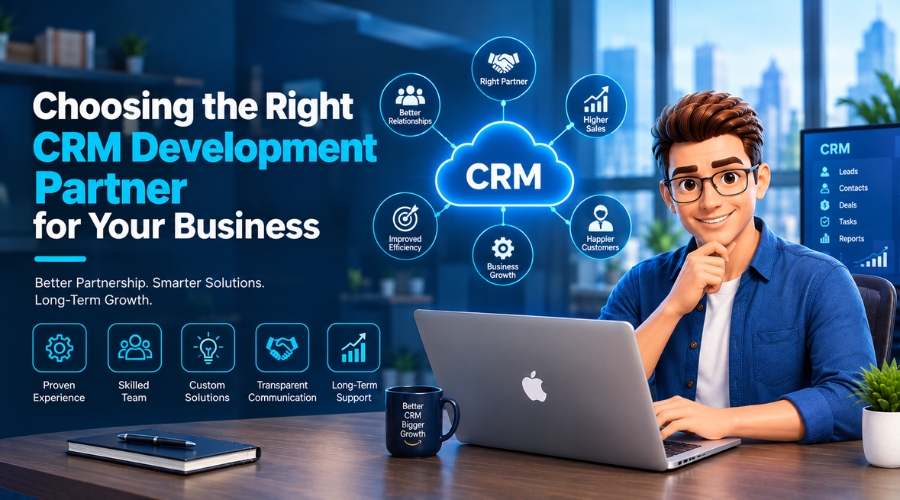
CRM is an operational tool that sits between your business and customers. A CRM development partner can transform how your business handles customer relationships.
Now that CRM is the only tool for managing marketing campaigns, supporting service teams, providing business intelligence, and feeding reports, businesses often rush to choose a partner and then complain that nothing fits their systems. Honestly, this isn’t their mistake. Slick portfolios and flashy promises often grab their attention, and in a moment of critical need, they end up partnering with a spurious CRM development company.
But how to choose a reliable CRM development partner? This guide helps you find the answers. It explains what a trusted CRM development partner provides, how to choose one, signs to spot deceptive players, and must-ask questions before finalizing the partnership.
Key Takeaways
- A good CRM partner studies your business first and builds around your workflows, not the other way around.
- Check real proof before you sign: case studies, live demos, and references you can actually call.
- CRM integration and data migration decide how smooth your first six months will be, so ask how they’ll clean and move your data.
- Get data and code ownership in writing, and look for encryption, audit logs, and compliance built in.
- Compare the full picture, not just the quote: testing, training, and support should all be in the price.
What Is a CRM Development Partner, and Why Does Your Business Need One?
A CRM development partner is a specialized technology company or expert team that plans, builds, designs, customizes, integrates, and maintains CRM systems for businesses of all sizes.
But why is it necessary? For service-based or eCommerce businesses, customer relationships are important. CRM helps them to maintain them by providing superior solutions. That’s why more than 73% of businesses have already adopted CRM software solutions and have seen an awe-inspiring ROI of $8.71 for every dollar spent.
How Does a CRM Development Partner Help?
It’s not about finding a CRM development partner randomly. Take time and put effort into finding a trusted CRM development company that can help with all of these:
Understands Business Requirements:
An experienced development company should start by studying your business operations, USPs, sales cycle, customer journeys, and challenges.
Custom Build Expertise:
CRM shouldn’t be static. It must build around your specific workflows. An expert CRM development team can create custom CRM software that boosts customer retention and lifetime value.
Automates Repetitive Tasks:
They should help your business by building a CRM tool that automates repetitive tasks such as assigning leads, sending welcome emails, creating follow-up reminders, updating deal statuses, and notifying managers.
Creates Reports and Dashboards:
A proficient CRM development agency can also build dashboards that offer real-time visibility into conversion rates, sales performance, customer retention, and revenue forecasts.
Improves Customer Experience:
They can create custom CRM solutions based on your customer interactions, purchase history, preferences, and support requests. So you can provide more personalized service to your customers.
Enables Mobile Access:
Mobile CRM adoption is growing rapidly and is projected to reach $58.07 billion by 2034. A credible development partner can build a mobile-friendly CRM so you can update records and respond to leads from anywhere, anytime.
Small Business Growth:
CRM software can entirely transform small business performance when it’s scaled properly. A reputable development company can build a CRM system that improves sales visibility within a fixed budget.
Training and Support:
CRM adoption fails when the tool is built for the business and not for the people using it. A good partner documents workflows and user manuals so employees can learn and lead.
Key Factors To Look For
Yes, it’s true that CRM has now become an essential factor in running business operations, but making haste in finding the right development partner is risky. Before you commit to any CRM software development provider, run them through these seven checks.
Each one shows whether they can build a system your team will actually use:
Evaluate CRM Development Experience:
- Start by checking their completed CRM projects.
- Look at their case studies, live demos, client reviews, and references.
- Ask them directly how many CRM projects they’ve done to date.
Red Flag: A team that’s shipped similar systems will spot problems before they cost you.
Check Industry Knowledge and Business Understanding:
- Ask your would-be development partner about your industry’s experience.
- Check how they handle the sales cycle and compliance needs of your industry.
- Industry familiarity helps them recommend practical features that solve complex business needs.
Red Flag: If they jump straight to demos, they’re selling a product, not solving your business problem.
Assess Technical Skills and Architecture:
- Verify their expertise in APIs, cloud infrastructure, mobile development, and scalable architecture.
- Ask what they know and how they approach CRM automation trends.
- Check their expertise in AI-assisted lead scoring,workflow automation, and predictive analytics.
Red flag: If they dodge questions about scalability, they’d likely hand you a system that works today but breaks the moment your team or data grows.
Review Integration and Data Migration Expertise:
- Ask them how they handle CRM integration with email, ERP, accounting, marketing, and support tools.
- Confirm whether your partner knows CRM data migration and how they transfer customer records and attachments.
- Also validate how their migration process reduces duplicate records and missing data.
Red flag: If they call migration “just an import,” they’d probably move your messy data as-is, so duplicates and errors follow you into the new system.
Prioritize Security, Compliance, and Data Ownership:
- Inquire whether they provide role-based access, encryption, secure APIs, and audit logs.
- Also confirm how they align the device with your industrial compliance controls.
- Ask about source code and customer data ownership, and the process of handing it over to you.
Red flag: Walk away if they hesitate to put data ownership in writing.
Examine Development Process and Communication:
- Question them directly about their thinking on running projects and status updates.
- Probe into their process of implementing prototypes, managing development cycles, sprints, and testing.
- Clarify who the main POC (point of contact) will be so you can communicate as needed and avoid confusion.
Red flag: Ghost them if they don’t clarify who’s the main POC and how progress gets reported.
Compare Pricing, Contracts, and Long-Term Support:
- Request a detailed estimated quote covering every step of development.
- Confirm whether migration, testing, integrations, and training costs are included to avoid surprise expenses.
- Review each agreement’s terms, including proprietary rights, technical support, and maintenance coverage, to avoid last-minute disputes.
Red flag: If the quote looks suspiciously low, they’d likely add charges later, so clarify them all before signing the contract.
CRM Development Partner Evaluation Table
This is a pocketbook of your decision-making checklist before hiring a CRM development partner. It summarizes what to assess, the right questions to ask, and warning signs that may indicate a poor fit.
| FACTOR | WHAT TO CHECK | MUST-ASK QUESTIONS | RED FLAG | GREEN FLAG |
|---|---|---|---|---|
| CRM Development Experience | CRM-specific case studies. Live demos. Client references. Successful projects. | How many CRM projects have you delivered? | Vague results, no past clients to name. | Case studies, live demos, and references you can call. |
| Industry Knowledge | Familiarity with your sales cycle. Customer journey. Workflows. Compliance requirements. | How would you handle our sales cycle? | Jumps straight to a product pitch. | Questions about your process before any demo. |
| Technical Skills and Architecture | API development. Cloud infrastructure. Mobile access. Scalability. Automation. AI capabilities | How will this scale as we grow? | Dodges scalability questions. | Clear answers on APIs, cloud, and architecture. |
| Integration and Migration | Ability to connect—email. ERP. Accounting. Marketing and support tools. Safe migration of records and attachments. | How will you move and clean our data? | Calls migration “just an import”. | A mapped plan to cut duplicates and missing records. |
| Security and Ownership | Role-based access. Encryption. Secure APIs. Audit logs. Backups. Regulatory alignment. | Who owns the code and customer data? | Hesitates to commit in writing. | Ownership in writing, plus encryption and audit logs. |
| Process and Communication | Discovery phase. Prototypes. Sprint planning. Testing. Progress reports. A dedicated point of contact (POC). | Who’s our main point of contact? | No clear contact or reporting routine. | Named contact, sprints, regular status updates. |
| Pricing and Support | Transparent quote. Contract terms. Maintenance coverage. Training. Post-launch support. | What’s included in the quote? | Suspiciously low quote, vague terms. | Itemized quote with testing, training, and support. |
Closing Thoughts
Most business owners get stuck on the flashiest portfolio or the lowest quote when looking for a CRM development partner. But honestly, those who deliver great results won’t invest in a high-pressure sales pitch or make false promises. They work quietly to build the product you’ve been searching for ages.
At The Tech Clouds (TTC), we do not offer generic templates. We listen to your specific business problems and build customized CRM solutions around your workflows. With our CRM development services, you’ll get a clean UI, a user-friendly experience, and a dark mode option—everything which you want for running your workflows.
Ready to build a CRM that actually fits your business? Contact TTC today for a free consultation and get a tailored CRM roadmap.

Frequently Asked Questions
How much does custom CRM development cost?
CRM development costs actually depend on various factors. These include integrations, migrations, post-launch maintenance, and technical support. But generally, prices range from $30,000 to $150,000, depending on features and complexity.
How long does it take to develop a custom CRM?
The timeline also varies based on the tool’s design and UX needs. But it usually takes 4-6 months or longer to build a useful CRM.
Should I choose a custom CRM or an off-the-shelf CRM?
Choose a custom CRM solution when you have specific scalability and integration requirements. An off-the-shelf CRM works well when you have standard work processes and some budget constraint issues.
Can I use my CRM on mobile?
Yes, you can. A CRM can also have a mobile-friendly design. But you’ve to make it specific during project discussions. A good partner can build a mobile-friendly CRM, so your team can update records and respond to leads from anywhere.
Recent Posts



Related Blogs
How CRM Software Transforms Small Businesses
Running a small business often means wearing multiple hats. One moment you’re responding to customer inquiries, the next moment you’re following up on unpaid invoices or trying to remember which...
Why CRM Adoption Fails and How to Fix It
Over 90% of businesses in today's world invest in CRM tools. Among them, nearly 70% of CRM projects fail to deliver expected results. Why is such a huge gap? Poor...
What’s the difference between a CRM and a CDP?
CRM stands for Customer Relationship Management. On the other hand, CDP means Customer Data Platform. People often become perplexed with these two terms. Most of them think that they are...
CRM Automation Trends That Will Dominate 2026
As we've stepped into 2026, we have to follow some fresh perspectives for handling customer relationships. That's why CRM automation continues to grow fast. More companies are using smart systems...
How a Custom CRM Can Boost Customer Retention and Lifetime Value
Research shows that targeted marketing can lift conversions by up to 10%. With data-driven tools, businesses can effectively segment audiences and personalize content based on preferences. Automated messaging helps sustain...
How to Choose the Best Project Management Tool: A Complete Guide
Choosing the best project management software can seem like a daunting task, especially when you’re just starting to understand what project management truly entails. Moreover, it often feels overwhelming and...
How CRM Software Transforms Cleaning Businesses: The Complete Guide to Automation & Revenue Growth
The cleaning industry is rising unexpectedly fast. Customers want fast replies and easy booking. No more mix-ups or waiting around. Sticky notes and spreadsheets worked when you had five clients....
12 Best CRM Plugins for WordPress
Managing customer relationships efficiently in today’s digital world is vital to success. For WordPress users, CRM plugins offer a simple yet powerful way to handle leads, automate workflows, and drive...