


Why CRM Adoption Fails and How to Fix It
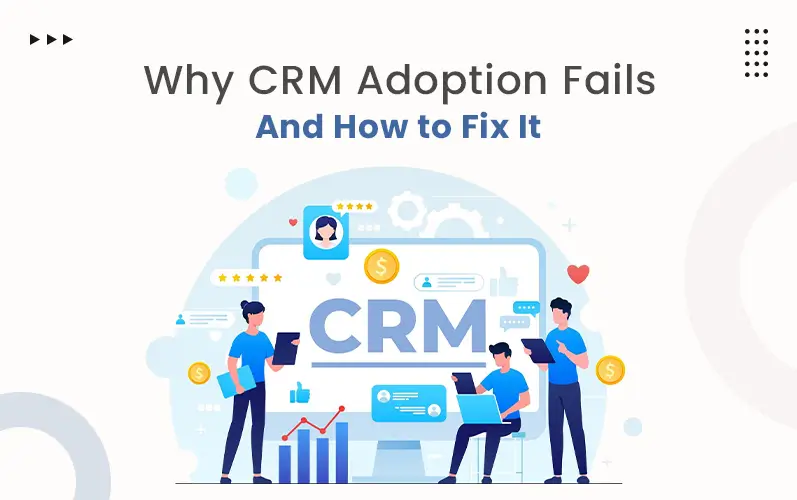
Over 90% of businesses in today’s world invest in CRM tools. Among them, nearly 70% of CRM projects fail to deliver expected results. Why is such a huge gap? Poor training. Lack of clear goals. No automation, only repetition. Poor integration. These are some issues that frustrate users and hinder the path of CRM adoption. Fixing these issues can completely transform how your CRM performs.
From this blog, you’ll come to know about 9 top CRM adoption challenges and keyways to fix them.
Key Takeways:
- CRM failure isn’t because of the software but for poor planning and adoption strategy.
- Automation, clean data, and proper training are the three main pillars of successful CRM usage.
- Customization and integration make a CRM feel natural and not forced for your team.
- Leadership support and clear metrics turn a CRM from a cost into a revenue driver.
- The right CRM partner transforms CRM adoption challenges into long-term business growth.
Top 9 CRM Adoption Challenges and Smart Ways to Fix Them
Nearly 70% of CRM failures aren’t because of the software. It’s due to how we’re using it. Let’s dive deeper to know why CRM adoption fails and how YOU can fix it.
1. No Automation, Only Repetition
About 17% of businesses say manual CRM data entry is their biggest challenge. Yet, repetitive, manual entry is still everywhere. Sales reps spend hours on various methods. Sometimes they get busy logging calls. Sometimes I get busy updating contracts. And sometimes spend long work hours copying data. This feels like an extra burden for them on top of their real work. Without telling anyone, teams quietly get back to their previous path. They start using spreadsheets, email folders, and even paper notes. The CRM you invested heavily in sits idle and unused.
Fix:
Follow the latest CRM automation trends. This strategy will substantially save your time and effort every week on every project. Invest in CRM that has these emerging trends:
- Auto-capture leads directly from web forms and emails.
- Set up workflows to update records without manual input.
- Use activity logging that syncs calls and meetings automatically.
- Trigger follow-up reminders based on customer actions.
2. Slow Operation, Complex Implementation
The CRM that is overloaded with irrelevant features and excessive interfaces operates slowly. A slow CRM frustrates users from the very first day. A complex setup makes the situation worse. Teams spend a long time thinking about what to use and what not to do. A clunky, disorganized system pushes people away instantly. Nobody wants to fight with their own CRM system.
Fix:
- Add features that are conducive and effective for employees. Simplify the workflow using these steps:
- Start with the core features only.
- Make a scalable CRM so that you can add features when the team and workflow expand.
- The CRM should have a clean and simple interface.
- Optimize system speed and performance frequently.
3. Lack of Training, Poor Retaining
Most CRM rollouts fail silently. Teams get access, but no clear guidance. Users click around. Get confused. And ultimately give up. CRM can boost customer retention only with proper training. The best CRM feels ineffective with lack of training. Employees fall back on old habits. The CRM system where you spent so much is left unused. The result is your productivity suffers.
Fix:
Building strong user knowledge is necessary to work well on your CRM. Let’s see how you can do these:
- Build a proper training plan first.
- Use step-by-step guides.
- Includes video tutorials and training sessions so that your team learns how to use this effectively.
- Select a renowned CRM development company that can provide ongoing support for user questions.
4. Poor Integration, Process Disruption
Email marketing tools. Calendar. Chatting tools. Automation tools. Customer support tools are some of the tools that sales reps use regularly. So, your CRM system should be integrated well with all these existing tools. When CRM doesn’t connect with these, the process disrupts. Data scatters. Workflow halts. Time wastes and errors occur. CRM integration challenges are one of the most important reasons teams resist adoption.
Fix:
A disconnected CRM adds work instead of reducing it. So, you should follow these to solve your integration problems:
- Map out all the tools your team uses before integrating.
- Choose a CRM software that supports native integrations.
- Use middleware like Zapier to bridge gaps.
- Test all integrations thoroughly before going live.
5. Insufficient Customization, Low User Satisfaction
Every business is different. One-size-fits-all CRM can rarely work for your firm. When the system doesn’t match your workflow, teams work around it instead of with it. Custom CRM solutions exist for this exact reason. Without proper customization, the CRM feels foreign. Employees lose interest quickly, and adoption drops fast.
Fix:
A CRM can only be super-effective for your firm when you customize this. Let’s have a look:
- Map your sales process before configuring the CRM.
- Customize fields, pipelines, and dashboards.
- Remove features that you don’t need.
- Work with an expert CRM software development company that can build the right setup.
6. Fear of Change, Stuck in the Same
Change is uncomfortable. Many employees see a new CRM as a threat, not a tool. They worry about learning something new. They get accustomed to the previous system. Fear of change creeps into their minds. They feel their performance will be tracked more closely. This resistance is one of the most overlooked CRM challenges businesses face. If people do not trust the system, they can’t get the most out of it.
Fix:
- Seamless CRM builds trust and confidence. Let’ see how you can make it:
- Express to them transparently why the change is happening.
- Involve employees in the CRM selection process. Their involvement at every step drives their fear.
- Communicate clearly about the benefits of the new CRM.
- Provide support during the transition.
7. Poor Data Quality, Weak Reliability
Incomplete and redundant data creates confusion. Duplicate contacts. Missing fields. Outdated records. All are some of the data issues that make the CRM system unreliable. Teams stop trusting the data and information that resides in the system. Such CRM data quality issues reduce the value of the system. A CRM is useful only when the data inside is effective.
Fix:
You need to keep your data clean to boost the trust of your employees. Here’s how you can do that:
- Set mandatory fields to ensure complete data entry.
- Run regular audits to remove duplicates and errors.
- Assign one person to oversee data quality standards.
- Use validation rules to block incorrect data entry.
8. Lack of Metrics, Weak Analytics
If you can’t measure it, you can’t improve it. Many businesses launch a CRM without defining success. No goals. No benchmarks. No tracking. Teams have no idea whether the CRM system is working or not. Confusion and low motivation badly impact CRM customer service management. The reputation of the entire organization gets tarnished.
Fix:
This is a clear sign of negligence. To avoid these kinds of CRM challenges, you need to follow these steps:
- Define clear KPIs for each team before launching the CRM.
- Track metrics like response time, deal closure date, and retention.
- Use dashboards to monitor results and review performance reports every month.
- Adjust strategies based on real data and team feedback.
9. Lack of Executive Support, Progress Falls Short
CRM adoption should start from the top of every organization. When leaders use it, employees feel inspired. They follow suits. When leaders ignore it, nobody takes CRM seriously. The organization starts facing CRM adoption challenges. Without the executive buy-in, the best CRM strategy even falls flat.
Fix:
- CRM will be an important part of your management only when leaders follow these actions:
- When chief executives start using it, they can truly inspire the employees.
- Managers should use it regularly and boost employees’ motivation.
- Make CRM optimization an important topic for your meeting.
- When you are deeply involved, your team will naturally follow your lead.
Hire CRM Development Experts to Streamline Your Business and Drive Growth Today!
The Bottom Line
CRM failure isn’t about the tool; it’s about your approach. CRM adoption will be successful when you implement these small fixes. Resolve the process step by step. Train your team. Choose a reliable CRM development company that can support you through every thick and thin. You can see a visible change in your result.
At The Tech Clouds (TTC), we build custom CRM solutions tailored to your exact needs. We understand that every business has unique customer relationship management demands. We do not just build CRM systems; we build lasting client relationships.
Connect with our team today to discuss your smarter CRM requirements now!

Frequently Asked Questions
What features help increase CRM adoption?
In CRMs, include the features that truly serve your purpose. That's why custom CRMs are better. In these CRM solutions, you will only have the features that you need. When your workflows and teams expand, you add more features too. Contact our team to build such CRM software.
How can leadership support CRM adoption?
Employees are influenced by looking at the CRM utilization by their leaders. When managers and executives use CRM systems, they can clearly state the benefits of it. If employees face hassles anywhere, they can easily guide them. This is how CRM adoption can be reinforced within the organization.
How much training is needed for good CRM adoption?
Training depends on the team. If they embrace the system with open arms, they do not need much time to learn its processes. TTC offers tutorial videos and recorded sessions. Through these resources, you can easily understand its processes.
Recent Posts






Related Blogs
How CRM Software Transforms Small Businesses
Running a small business often means wearing multiple hats. One moment you’re responding to customer inquiries, the next moment you’re following up on unpaid invoices or trying to remember which...
What’s the difference between a CRM and a CDP?
CRM stands for Customer Relationship Management. On the other hand, CDP means Customer Data Platform. People often become perplexed with these two terms. Most of them think that they are...
CRM Automation Trends That Will Dominate 2026
As we've stepped into 2026, we have to follow some fresh perspectives for handling customer relationships. That's why CRM automation continues to grow fast. More companies are using smart systems...
How a Custom CRM Can Boost Customer Retention and Lifetime Value
Research shows that targeted marketing can lift conversions by up to 10%. With data-driven tools, businesses can effectively segment audiences and personalize content based on preferences. Automated messaging helps sustain...
How to Choose the Best Project Management Tool: A Complete Guide
Choosing the best project management software can seem like a daunting task, especially when you’re just starting to understand what project management truly entails. Moreover, it often feels overwhelming and...
How CRM Software Transforms Cleaning Businesses: The Complete Guide to Automation & Revenue Growth
The cleaning industry is rising unexpectedly fast. Customers want fast replies and easy booking. No more mix-ups or waiting around. Sticky notes and spreadsheets worked when you had five clients....
12 Best CRM Plugins for WordPress
Managing customer relationships efficiently in today’s digital world is vital to success. For WordPress users, CRM plugins offer a simple yet powerful way to handle leads, automate workflows, and drive...
Customer Relationship Management in Hospitality: A Path for Long-Term Success
Suppose you enter a hotel, and the receptionist greets you by your name, knows about your likes and dislikes, and you don’t even need to fill out the form. This...