


Are Web Applications SEO-Friendly? What Businesses Should Know

Web applications can absolutely be SEO-friendly only when you consider SEO from the very first step of web application development. SEO is definitely not something you think about after building an entire application.
Google can easily process JavaScript and understand modern website architecture. However, JavaScript alone can’t guarantee that your content will be crawled, indexed, ranked, or drive high traffic.
SEO depends on various other factors, such as site speed, helpful, intent-based content, effective meta tags, optimized headings, AI adoption, trust signals, topical authority, and more.
A web application that is built with SEO in mind can rank in search results, attract qualified visitors, and generate business opportunities. On the other hand, poor architecture, heavy client-side rendering, and inaccessible content can make even the most advanced application difficult for search engines to understand.
Here’s what every business should know before investing in web application development.
What Makes a Web Application Different from a Website?
Although the terms are often used interchangeably, websites and web applications serve different purposes.
A website is basically the face of an organization. It contains company details, blogs, about us, contact us, and service pages. On the flip side, a web application is an interactive software that runs on a remote server. People can access them via web browsers to log in, manage their online data, complete transactions, or collaborate online. Some popular applications on the web include Gmail, Trello, Google Docs, and Netflix.
Building a web application helps reduce development and maintenance costs, but that’s only one part of their value. When SEO is implemented in a single-page application, it helps businesses streamline operations, improve user engagement, achieve higher ROI, and manage everything from a single platform.
From an SEO perspective, informational pages usually benefit from search visibility. It’s quite hard for private application to make their relevant mark. That’s why it’s easy to create SEO-focused websites rather than web applications. But with the help of an experienced partner, building SEO-based web applications will be a breeze.
How Search Engines Crawl Web Applications
Search engines start searching with the hyperlinks and XML sitemaps. Bots download the robots.txt file to verify the restricted directories. Modern crawlers can execute JavaScript files. It also takes time to render dynamic content, which requires additional resources and may not happen immediately.
Search engines struggle to interpret important content when complex scripts are in the way. This is why businesses should ensure that important public pages are easily crawlable and accessible without requiring users to log in. Well-structured navigation, internal linking, XML sitemaps, and clean URLs all help search engines better understand your application.
Research by Onely found that fully client-side-rendered (CSR) websites have, on average, 32% less content indexed by Google than comparable server-side-rendered websites.
Common SEO Challenges in Modern Web Apps
Modern web applications often face several technical SEO challenges:
- Heavy JavaScript delaying content rendering.
- Client-side rendering that limits immediate access to page content
- Duplicate URLs created by filters or parameters
- Poor internal linking between important pages
- Missing or duplicate meta titles and descriptions
- Slow loading speeds affecting user experience
- Private content hidden behind authentication
Most of these issues can be prevented during development rather than fixed after launch. Every technology involves trade-offs. Before investing in web application development, weigh the pros and cons of web applications.
CSR vs SSR vs SSG vs Hybrid Rendering
SEO for web applications will be great when you use rendering strategies effectively:
Client-Side Rendering (CSR) loads content through JavaScript after the page opens. It’s ideal for highly interactive dashboards but may delay search engine visibility of content.
Server-Side Rendering (SSR) generates page content on the server before it’s delivered to users. Since search engines receive complete HTML immediately, SSR generally offers stronger SEO performance for public-facing pages.
Static Site Generation (SSG) creates pages during the build process. These pages load quickly and work well for blogs, documentation, and marketing websites that don’t change frequently.
Hybrid Rendering combines multiple approaches. Public marketing pages use SSR or SSG for search visibility, while authenticated dashboards rely on CSR for dynamic user interactions. This approach provides both strong SEO and excellent application performance.
Which Parts of Your Web App Should Google Index?
Not every page in your application belongs in search results.
| Index These Pages | Avoid Indexing |
|---|---|
| Homepage | Login pages |
| Service pages | User dashboards |
| Pricing pages | Account settings |
| Blog articles | Admin panels |
| Documentation | Payment pages |
| Help Center | Private reports |
Only public content that provides value to potential customers should be indexed.
SEO Architecture Decisions Before Development
Many businesses treat SEO as a post-launch activity. In reality, it begins before development starts.
Important planning decisions include:
- Creating logical URL structures.
- Defining page hierarchy.
- Planning metadata templates.
- Implementing structured data
- Designing internal linking.
- Preventing duplicate content.
- Planning redirects for future updates.
Making these decisions early saves time, reduces development costs, and avoids expensive SEO fixes later.
Web Application SEO Checklist Before Launch
Before launching your application, confirm that you have:
- Crawlable HTML for public pages
- Descriptive page titles and meta descriptions
- Mobile-friendly responsive design
- Fast loading performance
- HTTPS security
- XML sitemap
- Robots.txt configuration
- Canonical tags
- Internal linking between important pages
- Structured data where appropriate
- Optimized images
- Custom 404 page
- Google Search Console setup
Completing this checklist gives search engines the information they need to crawl and understand your application efficiently. According to Google’s recommended Core Web Vitals thresholds, Largest Contentful Paint (LCP) ≤ 2.5 seconds, Interaction to Next Paint (INP) < 200 ms, and Cumulative Layout Shift (CLS) < 0.1.
Common Mistakes That Hurt Rankings
Several common mistakes can reduce your application’s search visibility:
- Building everything with client-side rendering
- Blocking important pages through robots.txt
- Using generic or duplicate metadata
- Creating multiple URLs with identical content
- Publishing slow-loading pages
- Ignoring Core Web Vitals
- Launching without testing crawlability
Addressing these issues early helps avoid traffic losses and improves long-term performance.
AI Search & LLM Visibility for Web Applications
Search is evolving beyond traditional search engines. AI-powered platforms increasingly rely on well-structured, accessible content to generate responses. The future of SEO in 2026 lies in AI search, user intent, and organic growth. That’s why businesses should focus on:
- Clear page structure with descriptive headings
- Helpful, original content
- Consistent internal linking
- Structured data where relevant
- Fast-loading pages
- Publicly accessible HTML content
These practices not only support SEO in single-page applications but also improve the likelihood that AI systems can accurately understand and reference your content.
Industry Examples
Different industries require different SEO priorities.
SaaS: Public landing pages, feature pages, pricing, documentation, and blogs should be optimized, while user dashboards remain private.
Healthcare: Treatment pages, physician profiles, clinic locations, and patient resources should be indexed, but patient portals and medical records should never appear in search.
Finance: Service pages, calculators, educational resources, and FAQs can generate organic traffic, while customer accounts and transaction portals should remain inaccessible to search engines.
This balanced approach for SEO application helps businesses maximize visibility while protecting sensitive information.
When Should You Choose SSR, CSR, or Hybrid?
Choose SSR if your business depends on organic search, content marketing, or lead generation.
Choose CSR for internal business tools, customer dashboards, or applications where SEO is not a priority.
Choose Hybrid Rendering if you need both strong search visibility and dynamic user experiences. For most B2B organizations, this offers the best balance between marketing performance and application functionality.
Conclusion
Web applications are not inherently good or bad for SEO. Their search performance depends on thoughtful planning, the right rendering strategy, and a solid technical foundation.
SEO for web application development starts with search engines being able to crawl, with easier user navigation, and with better long-term organic growth.
Planning a custom web application? Build SEO into the architecture from day one—not after launch. Early technical decisions can have a lasting impact on your search visibility, lead generation, return on investment, and revenues.
Contact The Tech Clouds (TTC) to build SEO-focused web application development services and bring your business to the forefront!

Frequently Asked Questions
Is React bad for SEO?
No. React applications can perform well when implemented with appropriate rendering strategies and technical SEO.
Should login pages be indexed?
No. Login areas, dashboards, and other private pages generally shouldn't appear in search results.
Does every web application need SSR?
Not necessarily. The best rendering method depends on your business goals and whether organic search is a priority.
Recent Posts






Related Blogs

What Is the Biggest Threat to SEO in 2027?
For years, the basic search journey was simple: someone typed a question, scanned the results, chose a website, and continued reading there. That habit is changing, mostly because of the...

Ecommerce SEO Strategies to Rank Higher in 2026
You are running your online store, but whenever customers search for something, it doesn’t show up. As a result, you’re losing sales and failing to generate revenue. How can you...
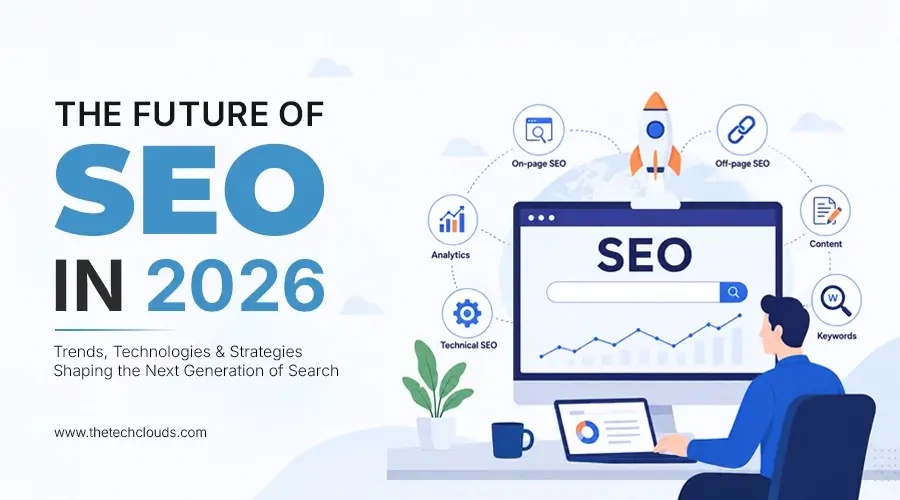
The Future of SEO in 2026: A Complete Guide to AI Search, User Intent, and Organic Growth
Your brand was coming among the top 5 SERP results last year, but now you’re struggling to maintain that. Google algorithms are constantly changing, and your competitors who are following...

Why UX Matters for SEO in 2026
SEO is no longer confined to tweaking keywords and On-site optimization. It's now going beyond that. UX, the User Experience, starts holding the ground, slowly, still strong. It is now...

Which E-commerce Platform Boosts SEO the Most?
SEO is the driving engine of an online store. Studies show that over 68% of online experiences start with a search engine. This means your platform must support strong SEO...

Overview Of 360 Digital Marketing: See Your Brand To A New Height
360 digital marketing integrates multiple channels. It covers different touch points. 70% of businesses earn better ROI with a multi-channel strategy. A very interesting fact, we must say here is,...