


What Is The Difference Between Cloud Computing and Cloud Migration?
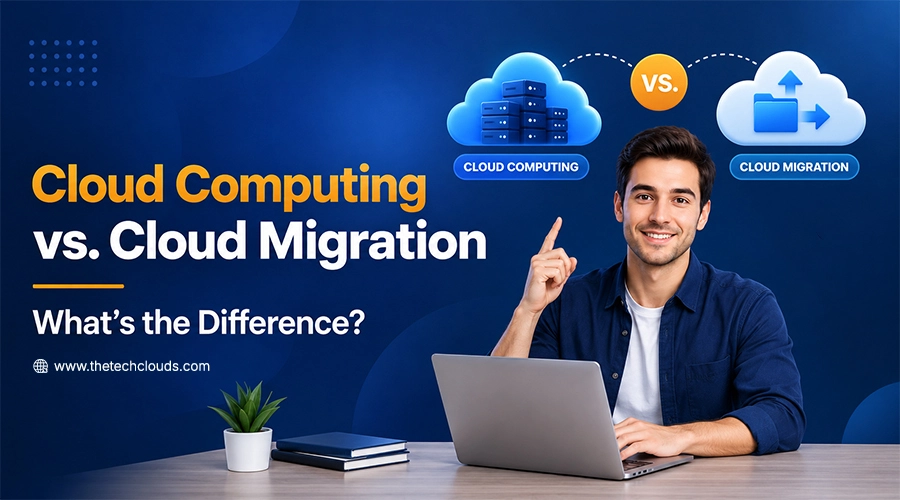
Businesses today aren’t just building in the cloud; they are constantly rethinking where and how their systems run. That’s where the concept of cloud migration comes in: moving your on-premises data to the “cloud” and setting up a more efficient environment for the team.
Through cloud computing, businesses can run their own servers, storage, databases, software, networking, and processing power—over the internet instead of relying entirely on physical computers or on-premises infrastructure — and pay only for what they use. When you get them right, your business runs leaner. Getting them wrong and you’re left untangling a mess. So, it’s time to understand how they fit together.
Key Takeaways:
- Cloud computing means providing businesses with everything they need to keep their operations running on the cloud.
- Cloud migration is the process by which businesses transfer their data to the cloud.
- Trends and the latest statistics are worth analyzing for both cloud computing and the cloud migration process.
- Using cloud resources means you have to pay for the part you’re using for the completion of your operations.
- Cloud offers flexibility and helps you scale up or down the resources as per your requirements and business expansion.
- Knowing the differences between cloud computing and cloud migration is worth watching in 2026.
What Is Cloud Computing?
Cloud computing means running applications and storing data on remote servers accessed over the internet, instead of relying on local hardware. You don’t need to buy or maintain any physical machines anymore; rather, you can rent the computing power, storage, and software from providers like AWS, Azure, or Google Cloud. You may also get help if you hire AWS developers and pay only for the part you’re going to use. The ironic part is you can scale up or down your use when needs change.
Advantages of Cloud Computing
Moving to the cloud isn’t just a trend now; it solves real problems that every business is facing in the present era. See what they are:
1. Cost Efficiency
No upfront hardware costs — you pay only for the resources you actually use, cutting IT spending significantly.
2. Easy Scalability
You don’t need to choose any static subscription planning anymore. In cloud computing architecture, resources are available on demand. You don’t need to buy or install any further equipment.
3. Remote Accessibility
Teams are working remotely now. When all apps, data, systems, and APIs are available in the cloud, they can access them from anywhere, anytime. No hindrance in the work process.
4. Automatic Updates
Providers handle maintenance and software updates automatically, so your systems stay current without manual effort.
5. Data Security
Cloud platforms have built-in security systems such as encryption, security protocols, multi-factor authentication, and continuous monitoring that sheds light on users’ activities.
6. Disaster Recovery
Data stays backed up across multiple locations, making recovery faster after outages, crashes, or hardware failure. In physical systems, if a crash happens, it’s difficult to recover the data, but with the cloud, data can stay in multiple places, making recovery easier and more effective.
Together, these advantages explain why cloud adoption keeps accelerating. It’s not just about saving money; it’s about building a system that can actually keep up with your business.
Why This Matters
Ten years ago, most companies ran their own servers in a back room or a data center somewhere. Today, that setup is becoming the exception, not the rule. Cloud computing is now sitting at the core of many modern web applications. Nearly all the apps you use daily, the systems processing payments, the platforms streaming video to millions at once.
The shift isn’t cosmetic. McKinsey research puts nearly $3 trillion in potential business value on the table for companies that move to the cloud, largely because cloud-based systems let businesses respond faster by launching updates, handling traffic spikes, and recovering from outages — without waiting weeks for new hardware to arrive.
Companies that still run everything on-site can’t help but feel that they’re slowly lagging behind their competitors who can scale in hours instead of taking months.
Traditional Computing Vs. Cloud Computing: A Head-to-Head Difference
Before cloud computing took over, businesses had only one option: buy the hardware, install it, and hope it lasted. That model built entire IT departments around maintenance instead of growth.
Here’s how the tech actually stacks up, side by side:
| Factor | Traditional Computing | Cloud Computing |
|---|---|---|
| Setup Cost | Heavy upfront investment in servers and hardware. | Little to no upfront cost – pay-as-you-go format. |
| Scaling | Requires buying and installing new equipment. | Scales instantly with a few clicks. |
| Maintenance | Handled in-house by IT staff. | Managed by the cloud provider. |
| Accessibility | Limited to on-site or VPN access. | Accessible from anywhere on the internet. |
| Downtime Recovery | Can take hours or days to restore. | Backups and redundancy can reduce recovery to minutes. |
| Software Updates | Manual installation across every machine. | Rolled out automatically by the provider. |
| Storage Limits | Fixed by physical hardware capacity. | Can expand over time without physical hardware limitations. |
| Best Suited For | Businesses with strict on-site data control needs. | Businesses that need speed, flexibility, and lower overhead. |
Cloud Computing Trends & Statistics
The numbers tell their own story about where cloud computing stands right now:
Public cloud end-user spending is projected to hit $850 billion in 2026 — a 21.3% jump from the year before, according to Gartner. About 94% of enterprises now use cloud services in some form, and 87% run multi-cloud strategies across multiple providers rather than relying on just one. SMB cloud adoption has jumped from 48% in 2023 to 67% in 2026 — a sign that cloud isn’t just an enterprise game anymore, per Gartner data.
AWS vs. Azure vs. Google Cloud– which is the best- is a question for many individuals. But when they set the base together, they can control 68% of global enterprise cloud infrastructure spending as of early 2026, per Synergy Research Group. SaaS still dominates usage, with 62% of businesses using it, followed by IaaS at 29% and PaaS at 18%, per Eurostat’s 2026 data.
Now, what does this data indicate? The numbers tell the current status of cloud adoption. So, if you’re already ready to adopt, then it’s time for a further conversation about how fast, how far, and how efficiently.
What is Cloud Migration?
Cloud migration is the process of transferring business data from on-premises devices to the cloud. It’s a strategic move, done to cut hardware costs, improve accessibility, and scale operations faster for businesses. When implemented with the right approach, it ensures minimal downtime while systems transition smoothly to their new environment.
How Does Cloud Migration Benefit Businesses?
Moving operations to the cloud isn’t just a technical upgrade; it’s a strategic business decision done for higher ROI. Businesses that perform cloud migration have seen many benefits, such as:
- Cost Savings — Migrating reduces spending on physical hardware and maintenance, since workloads run on remote cloud servers instead.
- Improved Scalability — Businesses can scale resources up or down instantly, avoiding the limits of fixed on-site systems.
- Faster Performance — A well-planned cloud migration often improves speed and reliability by relying on optimized, purpose-built infrastructure.
- Stronger Security — Reputable providers invest heavily in encryption, monitoring, compliance, and high security protocols, often exceeding what most in-house teams can manage.
- Business Continuity — Cloud environments make disaster recovery faster and more reliable, keeping operations running even during outages.
- Easier Collaboration — With cloud migration, teams can work together in real time regardless of location.
Together, these benefits explain why more businesses are treating cloud migration as a priority rather than an afterthought.
How Does Cloud Migration Work?
In general, there are three basic models available in cloud migration systems; each has its own benefits and control mechanisms. Businesses pick based on their requirements and goals:
- IaaS (Infrastructure as a Service) — Provides virtual servers, storage, and networking online, so businesses skip buying physical hardware but still manage their own software.
- PaaS (Platform as a Service) — Offers a ready-to-use platform for building and running applications, removing the need to manage underlying infrastructure.
- SaaS (Software as a Service) — Delivers fully functional software over the internet, so users simply log in and use it without installing or maintaining anything.
Most migrations combine these models depending on which parts of the business need flexibility and which need full control.
Cloud Migration Trends & Statistics
While cloud computing adoption is widespread, migration itself follows its own distinct patterns — and the data shows it’s becoming less of a one-time project and more of an ongoing process.
- Steady Market Growth — The cloud migration services market is valued at $31.5 billion in 2026, growing at over 22% annually.
- Migration Success Is Improving — 65% of cloud migrations now finish on time and within budget, up from 54% in 2022.
- Cost Overruns Still Common — 38% of migration projects exceed their original budget, with overruns averaging around 23%.
- Security Remains a Barrier — 71% of organizations cite security concerns as their top reason for hesitating on migration.
- A Top IT Priority — Cloud migration ranks as the second-highest IT priority for CIOs in 2026, just behind cybersecurity.
- Time Investment — The average migration takes 18 to 24 months to move the majority of workloads over.
These numbers point to one thing: businesses aren’t rushing migrations anymore. They’re planning them carefully and treating the process as a long-term shift rather than a quick fix.
Common Cloud Migration Mistakes
Even well-planned projects run into trouble, and most cloud migration mistakes come down to poor preparation rather than technical failure. Knowing what typically goes wrong can help businesses avoid costly setbacks before they happen.
- Skipping the Assessment Phase — Moving workloads without first mapping dependencies often leads to broken applications and unexpected downtime.
- Underestimating Costs — Many businesses fail to account for data transfer fees, storage tiers, or ongoing management costs.
- Ignoring Security from the Start — Treating security as an afterthought instead of building it into the migration plan increases exposure to breaches.
- Lack of a Rollback Plan — Without a way to revert changes, a failed migration step can bring operations to a halt.
- Poor Staff Training — Teams that are unfamiliar with the cloud environment often struggle in the post-migration phase, and slowly neglect the adoption and productivity.
Avoiding these missteps isn’t complicated. You just need to follow a complete cloud migration checklist rather than a rushed switch.
Cloud Computing vs. Cloud Migration: Differences to Watch For
While the two terms often seem similar, cloud migration in cloud computing refers to a specific action. Cloud computing is the infrastructure and service model, whereas migration is the process of migrating applications to the cloud.
| Factor | Cloud Computing | Cloud Migration |
|---|---|---|
| Definition | Delivery of computing resources over the internet. | Process of moving data and applications into the cloud. |
| Nature | An ongoing service model. | A one-time or phased project. |
| Focus | Focuses on how resources are accessed and used. | Focuses on how the transition happens. |
| Timeframe | Continuous. | Defined start and end. |
| Example | Using cloud-based storage or software daily. | Migrating applications from on-premise servers to the cloud. |
What Our Cloud Experts Have Noticed
Numbers and definitions only tell half the story. Here’s what actually shows up when you’re in the trenches of a real migration project:
Our cloud experts have noticed that the businesses who struggle the most aren’t the ones with complex systems — they’re the ones who skip the discovery phase because they’re in a hurry. A client with 40 interconnected apps and a client with 4 can both fail the same way: by assuming they know their own dependencies better than they actually do. Another pattern we keep seeing: teams treat cloud migration as an IT project when it should be treated as a business one. The migrations that go smoothly are almost always the ones where finance, operations, and leadership are looped in from day one — not just the tech team scrambling to hit a deadline.
We’ve also noticed that cost overruns rarely come from the cloud provider’s pricing. They come from businesses underestimating their own data. Old files that nobody uses, and legacy systems still quietly running in the background. A proper audit before migration catches most of this before it becomes a budget problem. And on the security side, the businesses that feel “ready” for the cloud are often the least prepared, because they assume the provider handles everything. Providers secure the infrastructure. You still own the responsibility for how your data is configured, accessed, and monitored within it. These aren’t textbook observations. They’re happening every single day when migration plans meet the messiness of real business operations. So, knowing the right path and partnering with an experienced team is truly essential.
Now Switch to Cloud with More Confidence
Cloud computing and cloud migration aren’t competing concepts — they’re two stages of the same journey. Cloud computing is the destination: a flexible, remote environment where your business runs leaner and scales faster. Cloud migration is how you get there: the deliberate, planned process of moving from where you are now to where you need to be.
Understanding the difference matters because it changes how you plan. You don’t “do” cloud computing the way you complete a migration — it’s an ongoing relationship with your infrastructure. Migration, on the other hand, has a start and an end point, and getting it right the first time saves you from the cost overruns, security gaps, and downtime that trip up nearly four in ten projects. If you’re weighing whether it’s time to move, the data makes the direction pretty clear.
The real question isn’t whether to migrate — it’s how to do it without the costly missteps that catch most businesses off guard. Navigating a cloud migration alone can feel overwhelming, but you don’t have to. The Tech Clouds (TTC) experts guide businesses through every phase of their cloud migration services. Ready to talk it through? Let’s connect.

Frequently Asked Questions
How long does a typical cloud migration take?
Most migrations take 18 to 24 months. However, it depends on the workloads. The timeline depends heavily on how many applications you're migrating and how interconnected they are.
Is cloud migration expensive?
It depends on planning. Roughly 38% of migration projects go over budget. But if you neglect data transfer fees, storage tiers, or ongoing management costs, it can feel quite expensive. A thorough assessment before you start prevents most of this.
Which is safer — on-premises systems or the cloud?
Reputable cloud providers generally invest more in security than most in-house IT teams can match, with built-in encryption and continuous monitoring. That said, security concerns remain the top reason businesses hesitate to migrate, largely due to misconceptions about who's responsible for what once data moves off-site.
Do I need to migrate everything at once?
No. Most businesses migrate in phases, moving lower-risk workloads first and keeping critical systems on a slower timeline until the process is proven. This is also why having a rollback plan matters — it lets you course-correct without halting operations.
What's the biggest mistake businesses make during migration?
Skipping the assessment phase. Moving workloads without mapping out how systems depend on each other is the single most common cause of broken applications and unplanned downtime after a migration.
Recent Posts






Related Blogs

Cloud Application Development in 2027: Trends, Technologies, and Best Practices
The global cloud application development market is expanding rapidly. It is $450.1 billion in 2026 and is projected to reach $806.91 billion by 2030, with a 15.7% CAGR over the...
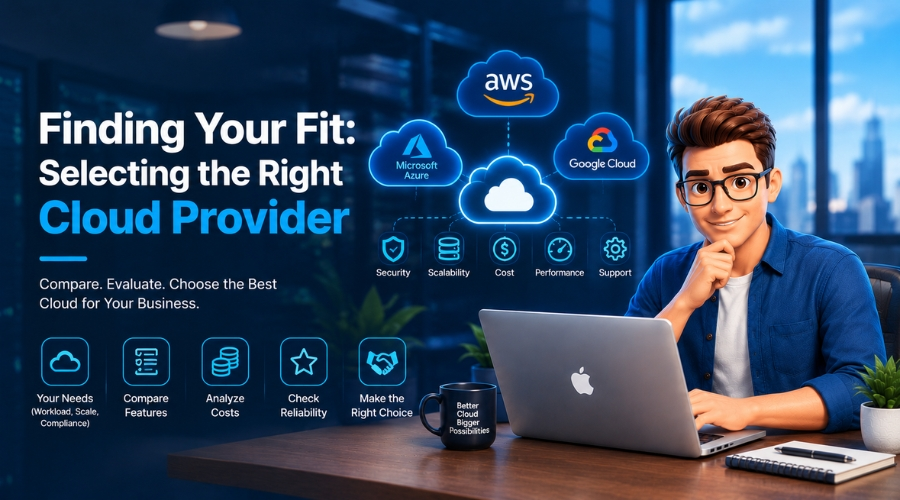
How Do You Choose the Right Cloud Provider for Your Migration?
Picking a cloud provider for a migration isn't like picking a laptop. You're handing over your data, your uptime, and a good chunk of your budget for years. The wrong...

Server Security Hardening: Best Practices to Protect Your Infrastructure in 2027
Server security hardening is the process of strengthening your server by systematically configuring it, applying updates, limiting unnecessary access, disabling unused services, and minimizing vulnerabilities to malware and other cyber...

High CPU Usage on Your Server: Causes, Diagnosis, and Fixes
Suddenly your server feels sluggish? You have seen all requests timing out, and the dashboard showing a red signal screaming: CPU at 100%. Do you know what that sign means...
Why Does My Server Keep Crashing? Common Causes and Fixes
Has your server crashed in the middle of a critical deployment, taking your uptime, your revenue, and peace of mind with it? You’re not alone. Every year, businesses lose thousands...
Common Server Problems and How to Fix Them: The Complete Guide
KeyTakeaways Most slowdowns occur when CPU stays above 90%, and disk I/O wait exceeds 10–20ms. Focusing on DNS authentication and strengthening firewall rules can prevent network hiccups, which are a...

How The Tech Clouds Built a Smarter Website & Server Monitoring Solution
Your website looks nice; nothing felt off. The server seems to be up; who knows? But then you wake up at 2 AM to check whether everything runs as you...
Server Monitoring vs. Server Management: What’s the Difference?
Server monitoring vs. server management is one of the most confusing topics. Business owners think that they need only one approach to run their websites, email, and apps through servers....