


The Complete Beginner’s Guide to Web Application Development (Step-by-Step Process)

Web apps are no longer a luxury. It becomes a strategic business tool that helps in growing and staying competitive. Now web apps are not just confined to developers. They become accessible to all. Some popular web apps like Netflix, Google Docs, Gmail, Canva, and many more have become widely popular. Some are used for entertainment, and some solve numerous problems for many individuals. Sometimes standard off-the-shelf solutions cannot meet specific business requirements. Then custom web application development becomes a rescue.
This guide will discuss what custom web application development is and why its development matters in 2026. It also covers how web apps differ from mobile apps and websites. The 5 key strategies and 10 key steps of building a web application.
To know all this, dive deeper.
Key Takeaways:
- Web apps work on any device through browsers without installation, reducing development costs and complexity.
- PWAs combine web and mobile app benefits at 50-70% lower cost than native apps.
- Web applications enable instant centralized updates without requiring user action or app store approval.
- Enterprise-grade security is essential as 25% of cyberattacks specifically target web applications.
- Successful web app development requires continuous post-deployment maintenance and user feedback integration.
What Is Web Application Development?
You search for something over the internet, and a list comes out. All of these are websites. But web apps are like Google Docs, Gmail, or Netflix that work when you’re connected to the internet but feel like a normal app.
So, in simple terms, a web application is software that runs on the web while helping you complete the task you want.
Web application development is the process through which you can create these kinds of software applications. They operate on web servers and are easily accessible through web browsers. Developers of reputed web application development companies use various programming languages and frameworks to create these kinds of applications. This Beginner’s Guide to Web Application Development helps you understand how modern apps are created, function, and support everyday digital experiences.
Why Developing Web Applications Matters?
Web applications are easily accessible and offer faster solutions to everyone. That’s why developing them means cutting through noise and generating higher revenues. They enhance business expansion, prominence, and reach. People become stuck to them as they can find various advantages of web applications. Some of them are given below:
1. Time & Cost Efficiency:
Developers state web apps can be easily developed and deployed. It takes less time to build compared to mobile applications. Moreover, if you opt for custom web applications, web application development companies only include relevant features. This means less development time and cost. According to McKinsey, using cloud-enabled applications accelerates the time-to-market speed by up to 20%.
2. Cross-Device Compatibility
The most preferred benefit of a web application is that it seamlessly operates on every digital screen. Its development follows the motto “write once and run anywhere.” Thus, web applications help reduce development and maintenance costs.
3. Continuous Updates with Easy Maintenance
Managing web applications is a bit easier. Its logic and data reside on the server side. This means all modifications are managed centrally. As soon as the updates are complete, it reflects the user’s side.
4. High Security & Low Compliance Risks:
Web applications come with enterprise-grade security measures. Developers include high-level encryption, dual-factor authorization, and live threat monitoring. Verizon’s Data Breach Report states that nearly 25% of attacks target web applications. Thus, built-in security features are mandatory in them.
5. Smart Analytics and Insights
Static websites cannot capture the users’ behavior. But web applications are dynamic. They can easily track user patterns. They accumulate past records, transaction data, and other performance metrics. Based on these insights, it provides convenience to users. Users feel valued and satisfied.
Difference Between Web Application & Mobile Application
Many people stay confused of web app vs. Mobile app. Some build mobile app when web apps can easily solve their requirements. And some others opt for web apps instead of mobile apps when actually mobile app development is required. So, before investing in any of these apps, you better go through this head-to-head difference table:
| Features | Web Apps | Mobile Apps |
|---|---|---|
| Access | Runs in a browser; no installation is needed. | Need to install from the App Store or Play Store. |
| Platform | Works on any device with a browser. | Built for mobile screens and specific platforms like Android and iOS. |
| Development Cost | Usually lower, one version works everywhere. | Higher. Need to build separate versions for different platforms. |
| Performance | Depends on internet speed and browser. | Faster and smoother, uses device resources. |
| Offline Access | Limited (except PWAs). | Strong offline access. |
| Updates | Instant. No user action is needed. | Requires updates via the App Store. |
| User Experience | Simple and accessible. | More interactive and feature-rich. |
| Storage Space | No device storage is required. | Takes space on the user’s device. |
In short, web apps are easy to access and cost effective.
Mobile apps offer better offline performance and deeper user experience.
Progressive Web App—A Golden Mean
Progressive web apps (PWAs) are technically web apps, but they behave and work like mobile apps.
For example, Uber, Spotify, Starbucks, and many more. All of them are actually web apps. They all run in a web browser. But they load fast, work in a fragile internet connection, and are even added to your home screen without being downloaded from the app store.
In simple words, they are actually web applications that work more like a mobile app. Its development and maintenance cost is nearly 50% – 70% compared to native apps. And due to this reason, 244,000 companies have already adopted PWAs. The global market of PWAs is expected to hit $21.24 billion by 2033.
Start your web app today—plan, build, and launch with experts!
Step-By-Step Process of Developing Web Applications
Thorough Web App Market Research:
- Start by understanding the present users’ needs, expectations, and requirements.
- Sit and think: how can you solve their problems and meet their demands?
- Study your current competitors.
- Finally, find the gaps that you have to fulfill through your web applications.
- After analyzing all this, proceed to the next step.
Define the Goal:
- When you get all the above insights, you become quite clear about your goals.
- Still, note your apps’ purpose.
- What issues will it resolve?
- Who will be the right audience?
- Clear goals help you stick with your aim—the aim to solve people’s issues.
Specify the Features and Requirements:
- Be clear about your objective.
- Include only those features that align with it.
- This step reduces price and development complexity.
- Seek help from a reputable custom web application development company.
- Their expertise can select the right architecture, technologies, and scalability strategies.
Plan The Workflow:
- Create a comprehensive workflow.
- Map how your app will work.
- Allocate time and resources for every task.
- Think carefully about the user’s adoption phase.
- Plan every step smoothly so that the entire process feels hassle-free.
Choose the Platform and Other Tools:
- At this stage, you need to select a perfect programming language that serves your purpose.
- Pick out suitable frameworks and libraries that go well for your application.
- In this phase, you need to include several APIs and third-party packages. This includes firewalls, server providers, payment gateways, and networks.
- Experienced companies know the development of web-based application processes.
- Partnering with them will solve more than half of your problems.
Build the Functional Prototype:
- When you’ve selected the platform, payment gateway, and other packages, it’s time to build the basic version of your app.
- At this stage, you don’t need to build a perfect app that provides an optimum level of experience.
- But something that is quite interactive provides smooth page transitions and fast navigation.
- Use any industry-grade wireframing tools for building intuitive user interfaces.
- The prototype gives a brief idea about the things that are going to be in the future after final deployment.
Front-End & Back-End Development:
- Now build the real app development, starting to see the overall structure of the prototype.
- Front-end developers design the layout, design responsive pages, and ensure smooth navigation across devices.
- Backend developers manage servers, databases, user authentication, and application logic.
- One ensures a smart visual appearance and user experience.
- And the other one ensures that data is stored properly, and the overall web app works nicely.
Database Management & API Integration:
- At this stage, data management and API integration procedures are checked thoroughly.
- In simple terms, you’re installing the working brain of your app.
- You input user information like username, password, and other credentials and check whether they are stored in the right site or not.
- After that, your app needs to be connected with other existing business platforms like CRMs, payment gateways, analytics, email tools, and so on.
- This step helps your app to be faster, secure, and well-integrated.
Rigorous Testing & Quality Assurance:
- Before going live, software testing services should incorporate rigorous testing and quality assurance checks.
- Unit testing guarantees that each part of the app works perfectly.
- Integration testing ensures the overall app works smoothly without any hindrance.
- Performance testing makes sure that your app fulfills users’ expectations.
- Security testing reveals how secure your user’s and business data is in your app.
Deployment & Hosting:
- Now it’s time to launch your app online.
- In order to do so, you need a reliable hosting service.
- Choose AWS, Azure, or Google Cloud—they are the best options for scalability and fault tolerance.
- Hire DevOps engineers at this stage. They can streamline your CI/CD pipeline, making the integration and deployment process much faster.
- Make your app live in such a way that it can be highly accessible to a large number of users, and they can use it anytime.
Post-Deployment & Maintenance:
- Developing a web application is not a one-time process.
- You need to improve it timely.
- Add updates, maintenance, and evolving features—these are some post-deployment services which boost users’ trust.
- Listen to user feedback and fix it continuously.
- Doing all these enhances the user experience and reach of the app.
Need a custom web app? Get a solution built for your business!
The Bottom Line
A web application is a growth-driven business tool. In 2026, if any business lags behind in building it, then understand they have already fallen behind in the race of competition and visibility. To reach a mass audience and expand your business, you need to utilize it effectively.
Follow our 10-step strategy from Beginner’s Guide to Web Application Development for building a perfect web application. If you’re still feeling puzzled, then reach out to The Tech Clouds today. We build custom web applications, specifically tailored to your business needs. Our team can also help you with mobile app development, PWA development and custom software development processes.
To learn more, visit our website or call our team now. We look forward to hearing from you.

Frequently Asked Questions
What is the typical cost of developing a web application?
Web application development costs vary widely based on complexity, features, and team expertise, typically ranging from $5,000 to $100,000+, influenced by design, development time, integrations, and maintenance requirements.
How do web applications differ from traditional websites?
Web applications are interactive, dynamic platforms allowing user input and real-time processing, while websites are mostly static; informational pages focused on content display with limited interactivity and functionality.
Which techniques are commonly used to optimize web application performance?
Common optimization techniques include caching, code minification, lazy loading, CDN usage like Cloudflare, database optimization, and reducing HTTP requests to enhance speed and scalability.
Recent Posts






Related Blogs

How to Speed Up Your WordPress Site: The Ultimate Optimization Guide
You have gone above and beyond to build your WordPress site, but when a visitor arrives, the loading wheel starts spinning. First 3 seconds gone, then five and so on....

App Development Cost by Country in 2027: USA vs UK vs India
You may want a web app or mobile app with almost the same features, but you’re still getting three different quotes from three different agencies in three different countries. App...

How to Hire Dedicated Developers: A Complete Guide from Scratch
Most businesses don't plan to outsource. It happens when your internal teams can’t cope with the demands of the existing market. Suppose a project that requires something which your present...

The 7 Phases of Web Development: From Idea to Launch
Anyone can think of a website design while working late at night or doing a job at dawn, but the problem hits when it comes to turning it into reality....
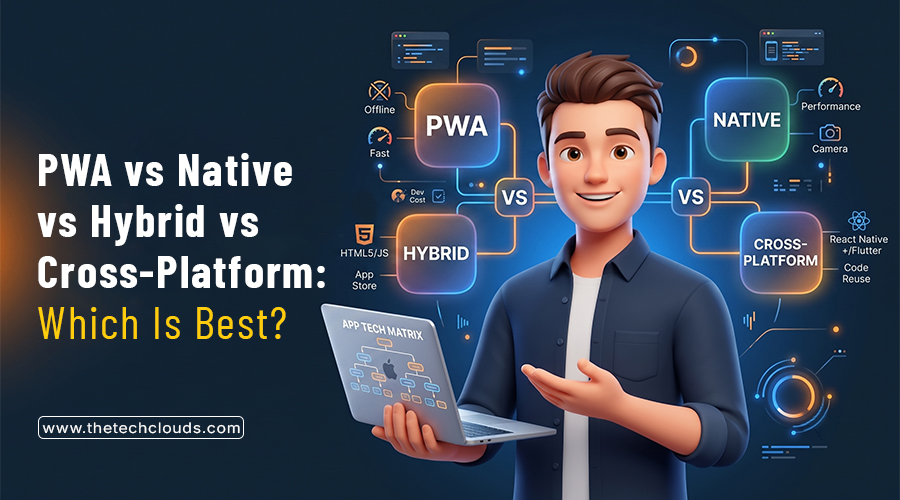
Mobile App Development in 2026: PWA vs Native vs Hybrid vs Cross‑Platform – Which Is Best for Your Business?
Ask five developers about the best way of building mobile apps in 2026. There’s no doubt in this that you’ll get five different answers. Some swear by natives, whereas others...
Why Your Website Is Slow and How the Right Development Framework Solves It
Ever clicked on a site and just... left before it even loaded? You're not alone, and neither is your website if it's doing the same thing to its visitors. Mainly,...
Best Technologies for Web Application Development in 2026
Web application development has changed a lot even in the last couple of years. Frameworks keep moving; people expect pages to load within a second, and sticking with outdated tools...

Custom Web Design on a Budget: A Practical Guide
You run a business but have no website. This approach may have worked a decade ago. But in today's world, having a website is mandatory, especially if you’re running an...